Team Generator for Kids' Games: Fair Teams, No Tears
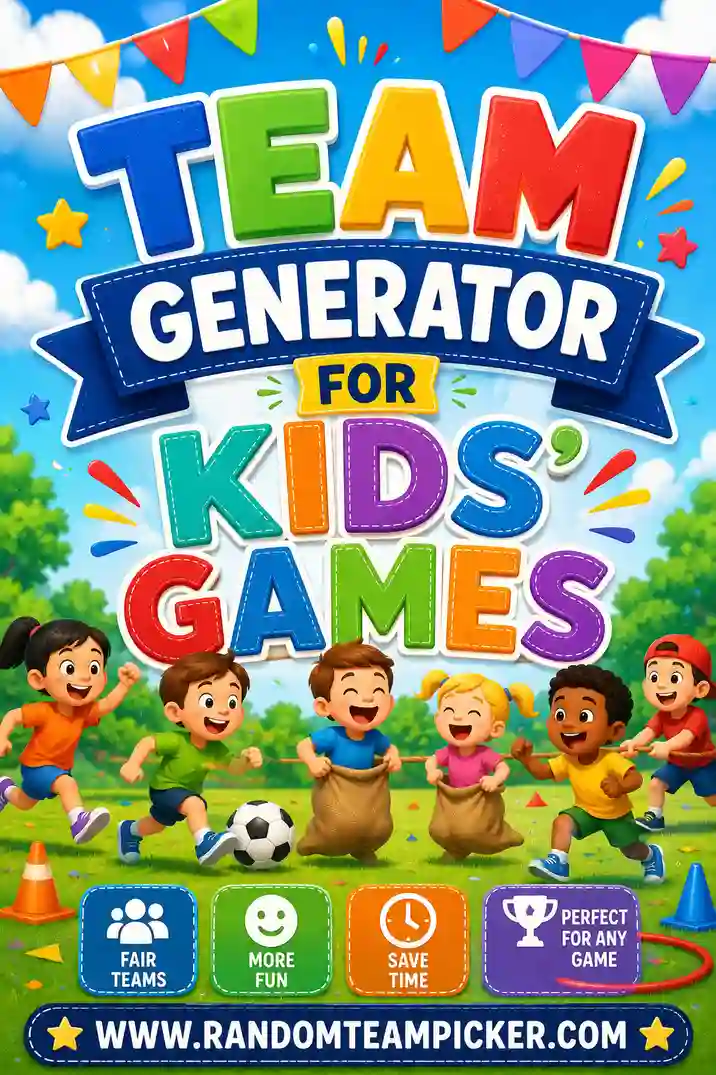
A team generator for kids' games takes your list of children and splits them into random, even teams so every game starts fair and nobody gets picked last. You type in the names, choose how many teams you want, and it shuffles the kids into balanced sides in one click. The kindest, fastest way to divide a group of children is a free random team picker that deals everyone into fair teams on the spot — no captains, no hurt feelings.
Want to skip straight to playing? Open the free tool, pop in the kids' names, pick your team count, and you'll have fair teams before anyone gets restless. No sign-up, no drama, no child left waiting.
What a Kids' Team Generator Does
A team generator for kids' games is a simple tool that shuffles a list of children into fair teams. You enter the names, tap a button, and it deals everyone out by pure chance. No team captains, no lining up to be chosen, no last kid standing there hoping someone wants them.
That last picture is exactly what this tool fixes. The old captains-pick method is quick, but it publicly ranks every child, and being chosen last can sting for a long time. A generator spares kids that moment entirely. Everyone lands on a team by luck, so the whole thing feels fair and stress-free.
You'll usually get two ways to split the group:
- By number of teams. "Two teams for the relay." The tool spreads all the kids evenly across those two.
- By team size. "Groups of four for the craft table." The tool makes as many groups of four as it can and handles the extras.
For most kids' games, choosing the number of teams is easiest — usually two for classic games, or a few small groups for stations and activities.
Why Random Teams Are Kinder for Kids
Kids feel fairness deeply. They notice when the same child always gets picked first and another always gets picked last, and it shapes how they feel about the group. Random teams take all of that off the table.
Here's why teachers, coaches, and parents reach for a random team generator:
- No one is picked last. The machine chooses, so there's no ranking and no rejection.
- Teams stay balanced. Talent and energy get spread out, so games are close and everyone has a chance to win.
- It mixes up friendships. Kids team up with classmates outside their usual group, which builds new friendships.
- It stops the arguments. No "I want to be with her" negotiations. The shuffle decides, and kids accept it easily.
There's a quiet lesson in it, too. Learning to play on whatever team you're given — and to be a good sport about it — is a skill that serves kids for life. Random teams practice that gently, every single game.
How to Split Kids Into Teams in 4 Steps
You don't need to be techy, and it's fast enough to do with a room full of wiggly kids waiting.
- List the kids. Type or paste each child's name, one per line. A class roster works perfectly.
- Pick your split. Enter how many teams you want, or set a group size.
- Shuffle. Hit the button and the tool randomizes everyone into teams instantly.
- Announce or reshuffle. Read out the teams, or reshuffle for a fresh mix, then send kids to their spots.
The whole thing takes well under a minute. Project it on the board or read it off your phone — either way, the kids see it's fair.
Choosing the Right Team Size for the Age
Team size should match the age and the game. Younger kids do better in smaller groups where everyone gets a turn. Use this guide.
| Age group | Team size | Best for |
|---|---|---|
| Preschool (3–5) | Pairs or trios | Simple sorting games, buddy activities |
| Early elementary (6–8) | Groups of 3–4 | Craft stations, relays, tag games |
| Older kids (9–12) | Teams of 4–6 | Sports, trivia, capture the flag |
| Mixed ages | 2 balanced teams | Big group games, family events |
| Whole class (20+) | 4–5 teams | Classroom competitions, field day |
For most kids' games, smaller teams keep everyone involved. A child who's one of three has a real job to do; a child who's one of ten can drift and lose interest.
Handling odd numbers
Kids' groups rarely divide evenly, and that's completely fine. When you've got a leftover child or two:
- Spread them out. Add the extras to existing teams so one or two teams have a bonus player. The generator does this automatically.
- Give a special role. An odd child can be the referee, the caller, or the coach's helper — a role kids often love.
Never leave one child standing alone. Always fold them in or hand them a fun job.
Kids' Games That Work Great With Random Teams
Random teams are the setup; the games are the payoff. Here are kid-favorites that shine once the generator has done the split.
- Relay races. Two even teams race through a course or challenge. A balanced draw keeps it close and exciting.
- Capture the flag. Classic two-team outdoor game. Random teams stop the fast kids from all landing on one side.
- Tug-of-war. Split the group in half and pull. Fair teams make for a real contest.
- Trivia or spelling bees. Small teams answer together, which takes the pressure off shy kids.
- Scavenger hunts. Send teams off with a picture list to find. Great for parties and outdoor days.
- Team crafts or building challenges. Random small groups work together on a project or tower.
Because the tool only needs names, you can switch games all afternoon and just reshuffle for each new one.
Real Scenarios for Teachers, Coaches, and Parents
A kids' team generator fits wherever children gather to play.
In the classroom
Teachers use it for everything from math relays to group projects. Project the teams, and kids find their spot without any picking drama. For little ones, pair a shuffle with colored tables so they know exactly where to go.
At sports practice
Coaches split players into scrimmage sides that are actually balanced, not stacked with the strongest kids on one team. Reshuffle each practice so kids play with different teammates and learn to adapt.
At birthday parties
Party games go smoother when no child feels left out. A quick shuffle turns a crowd of excited kids into fair teams for relays, scavenger hunts, or backyard games — and keeps every guest smiling.
At camps and clubs
Day camps and after-school clubs run on group activities. A generator makes daily team-ups fast and fair, and mixing kids up helps new friendships form across the group.
Tips for Fair, Happy Kids' Teams
The generator handles the fairness. These touches keep the games kind and fun.
- Shuffle where kids can see. Doing the draw on the board proves it's random, so kids trust it and accept their team.
- Let teams pick a color or name. Two minutes to become "the Red Team" builds instant pride and fun.
- Keep teams small for little kids. Smaller groups mean every child gets a turn and stays engaged.
- Reshuffle between games. Fresh teams each round mix up friendships and keep things exciting.
- Give the odd child a role. A referee or helper job keeps every kid included when numbers don't divide evenly.
Common mistakes to avoid
- Captains picking teammates. This is the one to avoid most — it ranks kids and leaves someone picked last. Keep it random.
- Teams too big. In a team of ten, quiet kids disappear. Smaller teams keep everyone involved.
- Same teams every time. One shuffle gets stale. Reshuffle so kids play with lots of different classmates.
- Forgetting the loner. Never leave a child without a team. Always fold them in or give them a job.
Team Generator vs. Old-School Methods
Wondering if the tool really beats the usual playground methods? Here's the honest comparison.
| Method | Speed | Fairness | Kid feelings |
|---|---|---|---|
| Random team generator | Seconds | High — pure chance | Everyone included |
| Captains pick players | Slow | Low — talent clumps | Someone picked last |
| Counting off (1-2-1-2) | Fast | Decent | Neutral |
| Drawing names from a hat | Slow | High | Fun but slow |
| Splitting by birthday month | Fast | Decent | Fun gimmick |
The generator wins where it matters most for kids: it's as fair as a hat draw, faster than any of them, and no child ever has to feel unwanted. That last column is the whole reason to use it.
Setting up other group activities? Check out our guides on a group generator for group projects, a team generator for parties, and a team generator for tournaments.
Frequently Asked Questions
How do I split kids into fair teams?
Paste the children's names into a team generator, one per line, then choose how many teams you want or the team size. Hit shuffle and the tool splits everyone into fair, random teams in seconds — no one picked last.
What is a good team size for kids' games?
Smaller is usually better. Preschoolers do well in pairs or trios, early elementary kids in groups of three or four, and older kids in teams of four to six. Smaller teams keep every child involved.
How does a team generator stop kids from feeling left out?
Because the split is random, there are no captains and no ranking. Every child lands on a team by chance, so no one is chosen last and no one feels unwanted. It's much kinder than picking teams by hand.
What if I have an odd number of kids?
That's normal. The generator adds the extra children to existing teams, or you can give an odd child a special role like referee, caller, or helper so everyone is included.
Can I reshuffle the teams between games?
Yes, as many times as you like. Reshuffling for each new game mixes up friendships, keeps things fresh, and stops the same kids from always being together.
Can teachers and coaches use this on a phone or tablet?
Absolutely. It runs in any browser, so you can shuffle teams right from a phone or tablet at the field, in the classroom, or at a party. No app and no sign-up.
Ready to Split the Kids Into Teams?
Grab your list of names, open the free team generator, pick your team count, and you'll have fair, random teams in seconds. It's free, there's no sign-up, and every shuffle means no child gets picked last. Let the games begin, and let every kid feel included.