Best Group-Making Tools for Teachers (Free & Fair)
The best group-making tools for teachers are free, work in any browser, and split your class into fair, balanced groups in seconds with no accounts or setup. Our top pick is randomteampicker.com, which turns your roster into random groups in one click and lets you re-shuffle instantly, right on the board where students can see it's fair. Below we compare the best options and share exactly what to look for so you can grab the right one before your next group activity.
Need groups right now? Open the free team picker, paste your class list, choose how many groups you want, and get balanced groups instantly, no sign-up, no formulas, no "I don't want to work with them" drama.
What Teachers Actually Need From a Group-Making Tool
Teachers don't need bells and whistles. They need something that works in the ten seconds between activities. The best group-making tools should:
- Be free. School budgets are tight; the core feature shouldn't cost a cent.
- Skip the login. You should be able to use it on a sub's day or hand it to a volunteer.
- Split a whole class fast. From 12 to 40 students, one click.
- Show fairness on screen. Students trust a shuffle they can watch happen.
- Handle uneven numbers. Classes rarely divide evenly into neat groups.
- Re-shuffle instantly. For when a group's mix clearly won't work.
- Run on any device. The classroom computer, your laptop, or your phone.
Weigh every tool below against this list. The best ones nail all seven; others trip on logins, paywalls, or clunky class-size limits.
The Best Group-Making Tools for Teachers
Here are the standouts, top pick first.
1. RandomTeamPicker — best overall (free, no login)
RandomTeamPicker is the tool we'd keep bookmarked on the classroom computer. Paste your roster, set the number of groups, and it splits the class fairly in one click. It handles odd numbers cleanly, puts every student in exactly one group, and re-shuffles instantly when a mix needs a redo. Because you can run it on the board, students see the shuffle happen, which quietly ends the "you always put me with them" complaints.
- Why it wins: Free, no account, any class size, even groups, instant re-shuffle, works on any device, visibly fair.
- Best for: Everyday grouping, discussions, stations, projects, and mixing up cliques.
- Cost: Free.
If you try one tool from this list, make it this one. There's also a version tuned for the classroom in our random group generator for teachers guide.
2. Spinning name wheels
Name wheels are a classroom favorite for the drama of picking one student. You add names, spin, and one pops out. They're built for single picks, though, not for splitting a class into groups.
- Strength: Fun and suspenseful for choosing one student to answer or lead.
- Limitation: Building full groups means spinning over and over and tracking who's left, which eats time.
- Best for: Cold-calling or picking one volunteer, not whole-class groups.
3. Classroom platform grouping features
Some learning platforms include a built-in grouping tool tied to your roster. Handy when you're already living in that app all day.
- Strength: Uses your existing student list, no re-typing names.
- Limitation: Locked to that platform and usually needs a login, so it's awkward to hand to a sub or a parent helper.
- Best for: Teachers who run everything through that one platform.
4. Spreadsheet formulas (Google Sheets / Excel)
A `RAND()` column plus a sort will shuffle a roster, and a `MOD` formula can label groups. It's flexible if your class list already lives in a sheet.
- Strength: Sits right next to your existing gradebook or roster data.
- Limitation: Fiddly to set up, and the random values re-scramble on every edit. Not fun to run live in front of a class.
- Best for: Spreadsheet-comfortable teachers who want groups in the same file as their data.
5. Popsicle sticks and paper slips
The classic analog method: names on sticks in a cup, drawn one by one. Zero tech required.
- Strength: No device, no wifi, deeply reliable, and students love the ritual.
- Limitation: Slow for big classes, easy to lose sticks, and re-grouping means re-drawing everything.
- Best for: Small classes, no-tech days, and teachers who like a tactile routine.
Quick Comparison Table
Here's how the options stack up against a teacher's checklist.
| Tool | Free | No login | Even groups | Visible fairness | Best for |
|---|---|---|---|---|---|
| RandomTeamPicker | Yes | Yes | Yes, automatic | Yes, on the board | Everyday grouping |
| Name wheel | Usually | Usually | No, one at a time | Yes | Single picks |
| Platform tool | Often | No | Varies | No | In-platform teachers |
| Spreadsheet | Yes | N/A | Manual setup | No | Sheet users |
| Popsicle sticks | Yes | Yes | Manual | Yes | Small, no-tech classes |
The pattern: for fast, fair, visible group-making with zero setup, a dedicated web tool is hard to beat.
How to Pick the Right Tool for Your Classroom
Match the tool to your day.
- You want fair groups fast, on the board. Use RandomTeamPicker. It's the no-friction default.
- You're cold-calling one student. A name wheel is more fun for that single moment.
- You live inside one learning platform. Its built-in grouping may be convenient, if you don't need to share it.
- Your roster is already in a sheet. A `RAND()` column works, if you don't mind the fiddliness.
- It's a no-tech day. Reach for the popsicle sticks.
Most teachers land on a free web tool because it removes every barrier: nothing to install, nothing to log into, and it works whether you're at the board or roaming the room with your phone.
Making Group-Making Fair (and Drama-Free)
A tool is only half the job. How you run it matters just as much.
- Shuffle in front of the class. Press the button on the board so students see the groups form. Visible randomness feels fair and shuts down accusations.
- Set a re-shuffle rule up front. Decide "we take the first shuffle" or "one re-shuffle allowed." Don't reshuffle until friends land together.
- Adjust known conflicts quietly. If two students truly can't work together, tweak the result without a big announcement.
- Change groups often. Frequent reshuffling teaches students to work with everyone and keeps any grouping from feeling like a reward or a punishment.
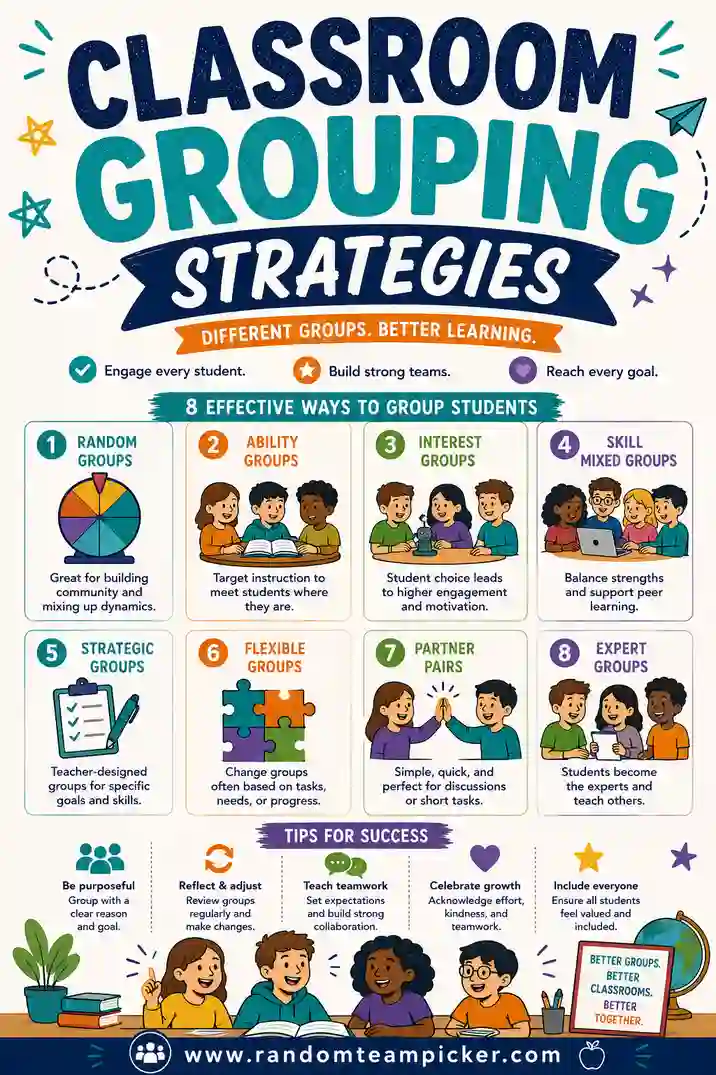
Pairing the right tool with these habits is what turns "ugh, groups again" into a smooth two-minute routine. For the strategy side, see our guide to classroom grouping strategies.
Free vs. Paid: Do Teachers Ever Need to Pay?
For random group-making, almost never. The core job, split a class into fair, balanced groups, is fully covered by free tools. You'd only look at paid for niche needs like saving dozens of rosters across many classes or locking specific students apart every time.
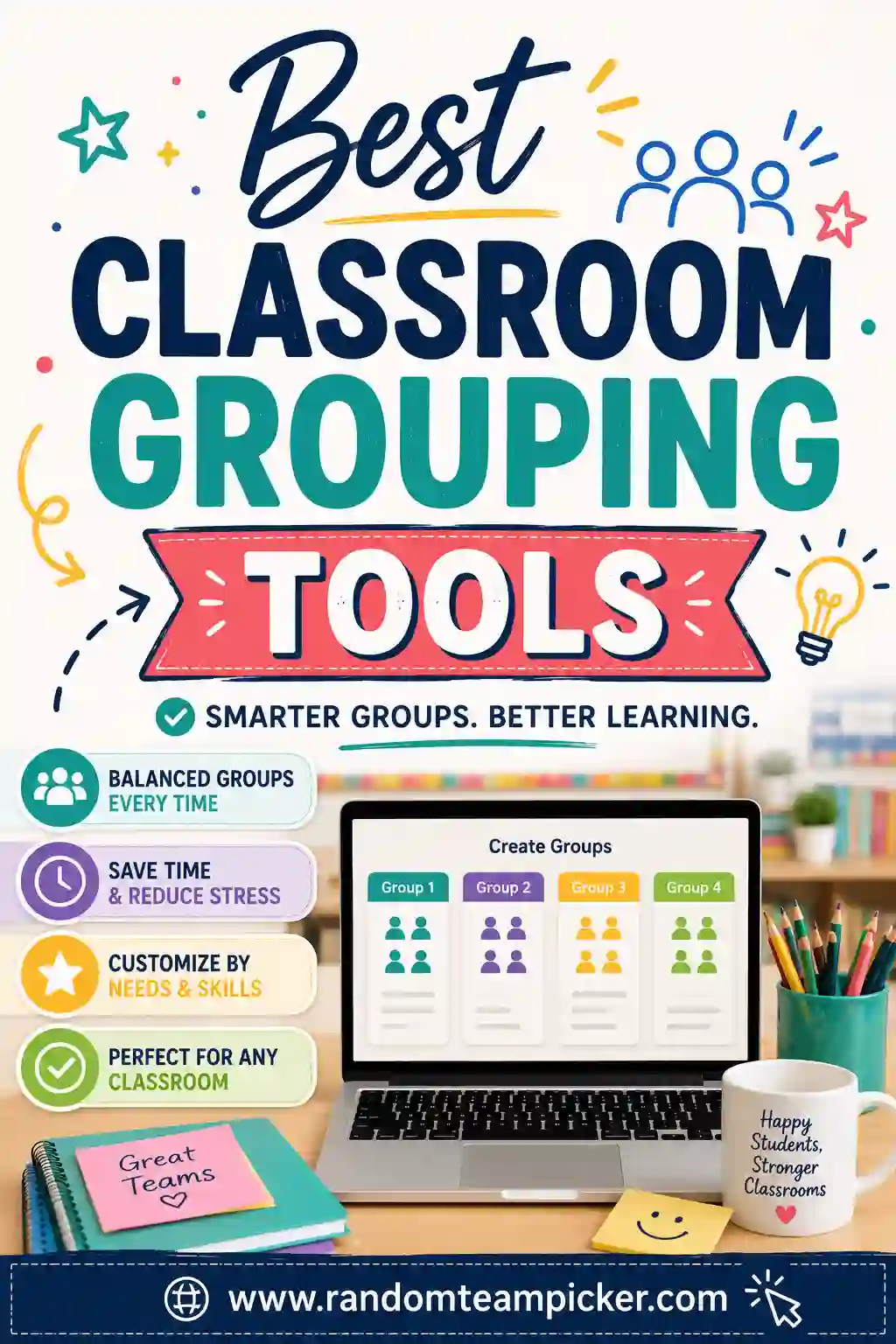
For daily grouping, discussions, stations, and projects, a free tool does everything you need. Start free and only consider paid if you hit a wall you genuinely can't work around. Our roundup of classroom grouping tools covers more options if you want to compare further.
Matching the Tool to the Classroom Moment
Different classroom moments ask slightly different things of a grouping tool. Here's how the best pick shifts.
- Quick discussion pairs. You want speed above all. Paste, click, and students are talking within seconds. A free web picker is perfect.
- Station rotations. You need several evenly-sized groups at once. A tool that balances odd numbers automatically saves you the headache of doing the math.
- Long projects. After the split, assign roles so no one coasts. The tool makes the groups; you add the accountability.
- Cold-calling one student. A spinning wheel is more fun for that single, suspenseful pick.
- No-tech day. Popsicle sticks or paper slips keep the ritual going when the wifi is down.
- Sub or volunteer day. A no-login web tool is the safest bet, anyone can run it without your password.
Across nearly all of these, the winning combination is the same: free, fast, no login, even groups, and a shuffle students can watch happen. That's why a dedicated web tool keeps earning its spot on the classroom computer.
Red Flags to Avoid in a Grouping Tool
Not everything that shows up in a search is classroom-friendly. Watch for these warning signs.
- A forced login that you can't hand to a sub or a parent helper.
- Ads or pop-ups that aren't safe or focused enough to run on the board.
- A paywall on the basic split, splitting a class into groups should be free.
- A cap on class size that fails you with a big roster.
- Lopsided groups that pile the extra students onto one team instead of balancing them.
A good classroom tool has none of these. It's free, safe to project, and splits fairly with zero setup. If a tool trips any of these flags, there's a cleaner free option a click away, starting with our top pick.
Frequently Asked Questions
What is the best free group-making tool for teachers?
RandomTeamPicker is our top free pick. It splits your class into fair, even groups in one click, handles odd numbers automatically, and runs right on the board so students see it's fair. It needs no login, works on any device, and lets you re-shuffle instantly.
How do I make student groups fairly without complaints?
Use a random tool and run it in front of the class so students watch the groups form. A free team picker shuffles your roster on the board, which removes any sense of favoritism and cuts down on "I don't want to work with them" pushback.
Do I need to pay for a classroom grouping tool?
No. Free tools fully cover the core job of splitting a class into balanced groups. Paid options only make sense for niche needs like managing many saved rosters. For everyday grouping, a free tool does everything you need.
Can these tools handle odd class sizes?
Yes, the good ones balance the extras automatically so no group ends up much bigger than the rest. When you have 27 students and want 4 groups, a quality tool spreads them into groups of 7, 7, 7, and 6 without you doing the math.
Which grouping tool works without a login?
A browser-based tool like RandomTeamPicker needs no account, just open it, paste your roster, and click. That makes it easy to use on a sub day or hand off to a parent volunteer, unlike platform tools that require signing in.
How often should I regroup my class?
Often. Frequent reshuffling helps students learn to work with everyone and keeps cliques from calcifying. With a fast group maker, regrouping takes seconds, so there's no reason to leave the same students stuck together all term.
Ready to Group Your Class in Seconds?
You don't need to test a dozen tools to split a class fairly. Open the free team picker, paste your roster, and get balanced, random groups on the board in seconds, no login, no favoritism, no counting heads. It's free and there's no sign-up, so bookmark it on the classroom computer and give it a try before your next group activity.