How to Randomly Split Into Teams (Easy Steps)
To randomly split into teams, paste your list of names into a free team generator, choose how many teams you want, and hit shuffle. The tool scrambles everyone and deals them into even, random groups in seconds, no bias, no counting, no arguments. That's the whole method: enter names, pick a number, shuffle. Below, we'll walk through it step by step and cover the by-hand backups for when you don't have a screen.
Want to skip the reading? Open the free team generator, drop in your names, and split into random teams right now. No sign-up, no app.
The Fastest Way: Use a Random Team Generator
The simplest, fairest method takes about ten seconds. Here's exactly what to do.
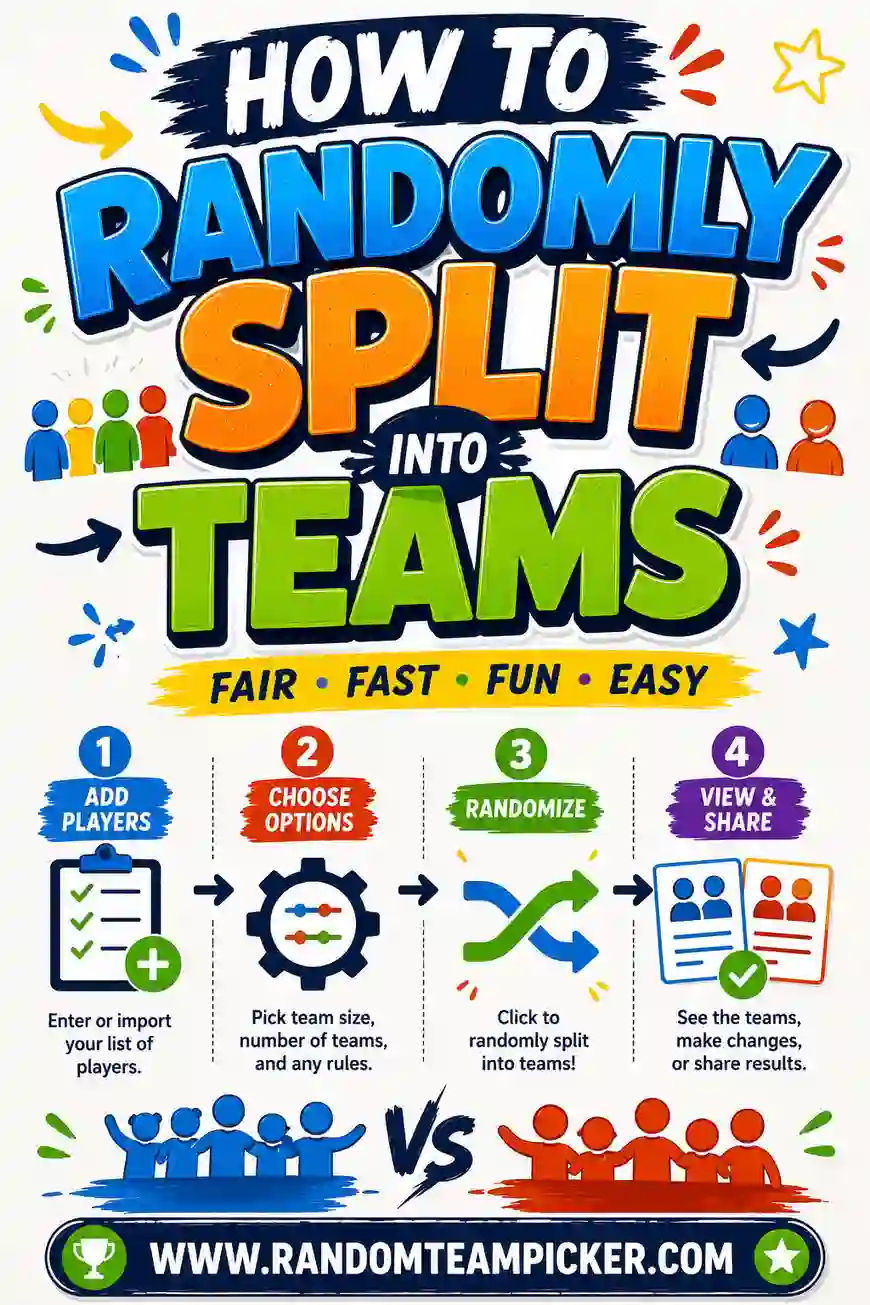
- Gather your names. Type or paste every person's name, one per line. Copy them from a sign-up sheet, a chat, or a class roster if you have one.
- Pick your number of teams. Decide how many groups you need, two, four, six, whatever the activity calls for. Or set a team size and let the tool figure out the count.
- Hit shuffle. The generator randomly scrambles the whole list and deals everyone into even teams in one pass.
- Read out or share the result. Announce each team, project the screen, or print it.
That's it. No math, no risk of miscounting, no accusations of favoritism. If a split looks off, click shuffle again for a brand-new random arrangement.
Why this beats doing it in your head
When you assign teams manually, two things always creep in: counting mistakes and hidden bias. You lose track of who's on which side, or you unconsciously put friends together. A generator removes both. It counts perfectly and it doesn't know anyone, so the split is genuinely random.
No Screen? Fair By-Hand Methods
Sometimes you're on a field or at a table with no device. These low-tech methods still give a fair random split.
- Count off by numbers. Have everyone say a number in sequence, "1, 2, 1, 2…" for two teams, or "1, 2, 3, 4…" for four. All the 1s form a team, all the 2s another. Fast and surprisingly fair.
- Draw slips from a hat. Write team names or colors on slips, one per person, fold, and let each player draw. What they pull is their team.
- Deck of cards. Deal one card per person. Red vs. black splits into two teams; the four suits split into four. Cards are naturally shuffled, so it's genuinely random.
- Dice or a coin. For small groups, roll a die or flip a coin per person to assign a side.
These are handy backups, but they're slower and easier to fudge than a generator. For anything more than a quick pickup game, the tool is worth pulling out.
How Many Teams Should You Make?
The right number depends on your headcount and your activity. This chart gives you a quick starting point.
| People | Suggested teams | Team size | Works well for |
|---|---|---|---|
| 4–8 | 2 teams | 2–4 each | Card games, quick challenges |
| 9–16 | 2–4 teams | 4–8 each | Trivia, dodgeball, charades |
| 17–30 | 4–5 teams | 5–7 each | Classroom groups, relays |
| 31–60 | 6–8 teams | 6–10 each | Events, tournaments |
| 60+ | 2–4 mega-teams | 20+ each | Color war, large games |
The general rule: keep active-game teams between 4 and 10 so everyone gets a turn, and use fewer, bigger teams for head-to-head events.
Making Sure the Split Feels Fair
A random split is only useful if people trust it. These small moves build that trust.
Shuffle in front of everyone
Let the group watch the shuffle happen, on screen or with cards. Visible randomness is believable randomness. The moment people can't see how teams were made, someone suspects a rig.
Reshuffle if a draw looks stacked
Randomness sometimes clusters all the strong players on one side. That's fine, just shuffle again. A second draw is still random and usually evens things out. For casual play, don't over-tune it; a little imbalance keeps things fun.
Decide odd-number rules ahead of time
If your count doesn't divide evenly, one team will be a person larger. Announce how you're handling the extra player before you shuffle, so it doesn't look like a mid-game advantage.
Splitting for Different Situations
The same random method works everywhere, but a few tweaks help per setting.
In the classroom
Random project groups stop the "let me pick my friends" scramble that leaves quiet kids stranded. Split the roster, post the teams, and every student has a group without anyone feeling left out.
For sports and games
For pickup games, a fast two-team split gets you playing quickly. Hand out pinnies or colored bands so teams are easy to tell apart. Our guide to a team generator for two-team splits covers this case in depth.
At work
For workshops and team-building, mixing departments is usually the goal. Ignore who works where, dump everyone in, and let random teams form so people meet new colleagues.
At parties
Party games thrive on friendly rivalry. A random split keeps couples and cliques from stacking one side, which makes for a better game and more laughs.
Common Mistakes to Avoid
Even a random method can go sideways. Watch for these.
- Letting captains pick after the shuffle. That undoes the randomness. Trust the draw.
- Reusing the same teams all day. The losing side gets discouraged. Reshuffle between rounds.
- Ignoring uneven numbers. Sort out where the extra player goes before you start.
- Sorting in secret. If you quietly balance by skill, call it "balanced teams," not "random," so you're being honest.
- Too many tiny teams. Splitting 12 people into six pairs makes for a dull game. Bigger, fewer teams usually play better.
How Random Shuffling Actually Works
It helps to understand what "random" really means here, because it's what makes the method trustworthy. A good team generator uses a shuffle algorithm (the classic one is called Fisher-Yates) that gives every possible arrangement an equal chance. In plain terms: it walks through your list and swaps each name with another random spot, so the final order has no pattern and no favoritism baked in.
That's different from just "eyeballing it." When you sort people in your head, you can't help but be influenced by who you know. The algorithm has no memory and no opinion, so the only thing deciding a person's team is chance. That's exactly why the result feels fair, and why you can shuffle in front of the group without worrying it looks rigged.
One useful consequence: because it's truly random, reshuffling is always valid. A second draw isn't "cheating to get a better team," it's just another equally fair arrangement. So if a split looks lopsided, click again with a clear conscience.
Splitting Into More Than Two Teams
The same method scales past two sides without any extra effort. To make four teams, you just tell the tool four instead of two, and it deals names into four columns in rotation. This is perfect for station rotations, tournament brackets, or any activity where you want several small groups instead of two big ones.
A couple of things to keep in mind with more teams:
- Watch your group sizes. Splitting 12 people into four teams gives you tiny groups of three, which can make some games feel thin. Fewer, bigger teams often play better.
- Label them clearly. With four or more teams, plain numbers get confusing fast. Give each a color or a name so people remember which one they're on.
- Rotate for fairness. In a station rotation, every group hits every station, so balance matters less, the point is participation, not competition.
For big events that need many even groups, our guide to a team generator for large groups walks through the whole setup.
Random vs. Balanced: Which Do You Want?
There's a real difference between the two, and picking the right one matters.
| Purely random | Skill-balanced | |
|---|---|---|
| How | Shuffle names blindly | Spread strong players evenly |
| Feels | Fair, unbiased | Competitive, even |
| Best for | Casual fun, kids | Serious games, leagues |
| Downside | Can be lopsided | Takes more setup |
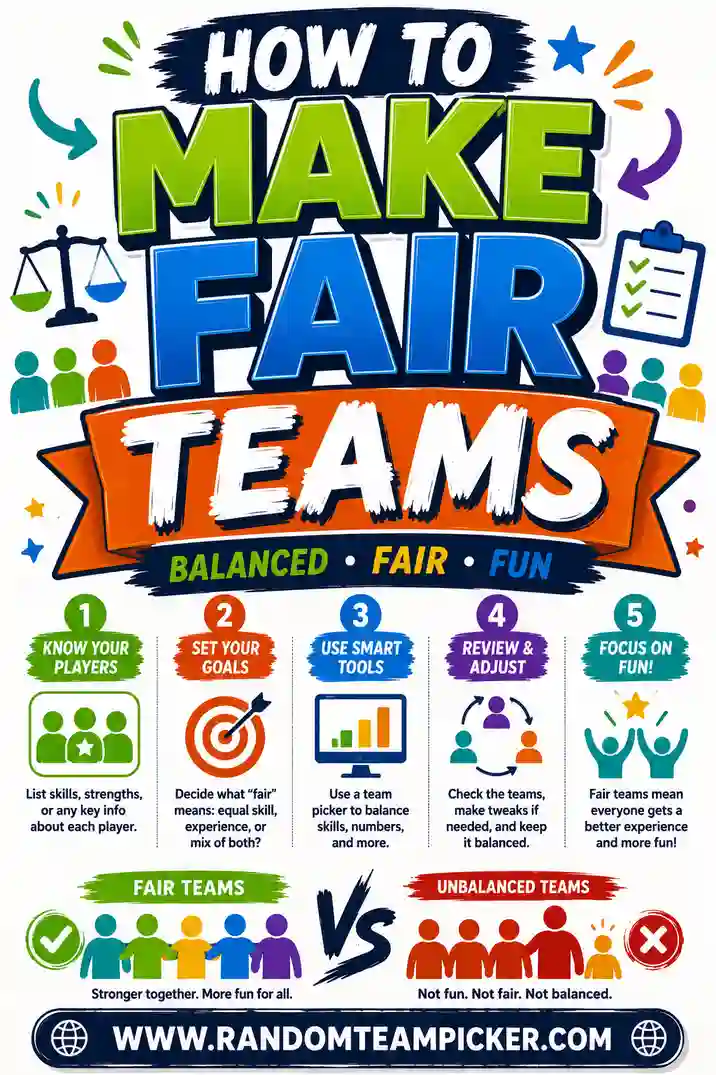
For most fun activities, pure random is the way to go, it's fast and clearly fair. If you're running a competitive league where a blowout would ruin the game, lean toward balanced. Our guide on how to make fair teams digs into balancing by skill.
A Quick Checklist Before You Shuffle
Run through this short list and your split will go smoothly every time.
- Do you have everyone's name? Double-check nobody's missing before you shuffle, adding people after the fact means redoing it.
- How many teams do you actually want? Match the number to the game and headcount using the chart above.
- What's your odd-number plan? Decide where an extra player goes before you draw.
- Random or balanced? Choose based on whether it's casual fun or a serious competition.
- How will you share the result? Read aloud, project, or print, know before you start so the split-to-play handoff is quick.
Thirty seconds of this prep saves you from the little snags that make a split feel messy. Then it's just paste, pick, shuffle, play.
Frequently Asked Questions
What's the easiest way to randomly split into teams?
Paste your names into a free team generator, choose how many teams you want, and hit shuffle. The tool randomly divides everyone into even groups in seconds, with no bias and no counting.
How do I split into teams without a computer?
Use a low-tech method: count off ("1, 2, 1, 2…"), draw slips from a hat, or deal a deck of cards (red vs. black for two teams). These give a fair random split when you don't have a screen handy.
How many teams should I make?
It depends on your group size and activity. Keep active-game teams between 4 and 10 people so everyone participates, and use fewer, bigger teams for head-to-head events. The size chart above gives quick suggestions.
What if my group doesn't divide evenly?
One team will end up a person larger, which is normal and fair. Just decide before you shuffle how you'll handle the extra player, like rotating them between rounds or giving them a referee role.
Is random or balanced better?
For casual, fair fun, random is best, it's fast and clearly unbiased. For serious competitive games, balancing by skill prevents blowouts. Pick based on how much the outcome matters.
Is the team generator free to use?
Yes, it's completely free with no sign-up. It runs in your browser on any device, so you can split into random teams from a phone, tablet, or computer.
Ready to Split Into Random Teams?
Now you know the method: gather names, pick a number, shuffle. Open the free team generator and you'll have fair, random teams in seconds, no math, no bias, no arguments. It's free and there's no sign-up. For more, see our guides on how to make fair teams, a team generator for two-team splits, and a team generator for large groups. Go get your game started.