Team Picker vs Name Picker Wheel: Which One Should You Use?
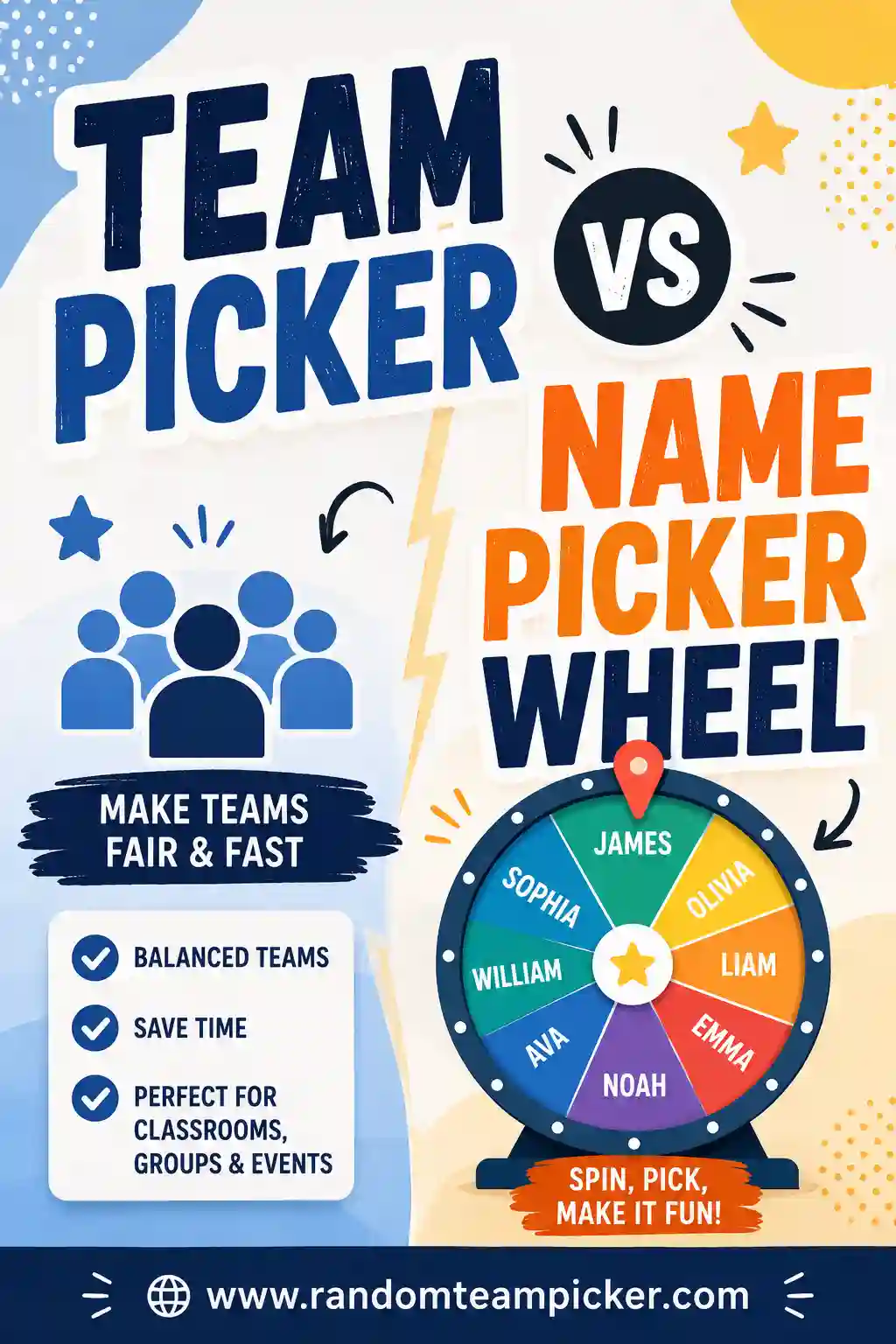
A team picker and a name picker wheel do two different jobs. A name picker wheel spins to choose one name at a time, which is perfect for picking a single winner or a volunteer. A team picker takes your whole list and splits everyone into balanced groups at once, which is what you want when you need to form fair teams fast. If your goal is "divide these people into teams," skip the wheel and use a random team picker instead.
Want to split your list right now? Open the free team picker, paste in your names, choose how many teams you need, and you'll have balanced groups in a couple of clicks. No sign-up, no app to install, no spinning one name at a time.
The Short Answer: Different Tools for Different Jobs
Both tools are random and both are fair, but they solve opposite problems.
A name picker wheel is a single-winner tool. You load names, spin, and it lands on one person. Then it stops. To build teams with a wheel, you'd have to spin over and over, cross off each name, and sort the results into piles yourself. That's slow and easy to mess up.
A team picker is a group-splitting tool. It shuffles your entire list and deals everyone into the number of teams you ask for, all at once. One click, done. Nobody gets picked twice, nobody gets forgotten, and the teams come out even.
So the real question isn't which is "better." It's what you're trying to do:
- Picking one name (a prize winner, who goes first, a volunteer)? Use a wheel.
- Splitting everyone into groups? Use a team picker.
What a Name Picker Wheel Does Well
A spinning wheel has a real strengths, and it's worth being fair to it.
The wheel is visual and dramatic. That slow spin and the tick-tick-tick as it slows down builds suspense. For a classroom prize draw or a raffle in front of a crowd, that moment of anticipation is the whole point. A team picker just shows you the answer, which is efficient but not exciting.
It's also great for single picks. Choosing who reads next, which student answers a question, or who wins the door prize is exactly what a wheel is built for. One spin, one name, everyone saw it happen, no arguments.
Here's where a wheel shines:
- Drawing a raffle or giveaway winner
- Picking one volunteer from a group
- Deciding who goes first in a game
- Cold-calling students so it feels fair and random
- Any moment where you want a bit of showmanship
The catch is that the wheel does one thing. The second you need groups instead of a single name, it becomes a chore.
What a Team Picker Does Well
A team picker is built for the moment you have a list of people and need them sorted into balanced groups.
The big win is speed on the whole group. Instead of spinning ten times to build a team of ten, you paste the list, pick "3 teams," and every person lands in a group in one action. For a class of 30 or a party of 20, that's the difference between five seconds and five minutes.
It's also fair by design. A good random team picker shuffles the full list before splitting, so the groups come out even in size and there's no bias about who ends up where. When you split by hand, you tend to put friends together without meaning to. Randomizing removes that.
Team pickers are the right call for:
- Splitting a class into project or discussion groups
- Making balanced sides for a game or sport
- Forming breakout groups at a meeting or workshop
- Rotating people into rounds or stations
- Any time "who's with who" needs to feel fair
Try our random team generator once and you'll see why it beats spinning a wheel dozens of times.
Side-by-Side Comparison
Here's the whole picture in one table so you can decide at a glance.
| Feature | Name Picker Wheel | Team Picker |
|---|---|---|
| Main job | Pick one name | Split everyone into groups |
| Output | A single winner | Balanced teams, all at once |
| Speed for groups | Slow (spin, cross off, repeat) | Instant (one click) |
| Fairness for teams | Manual sorting, easy to skew | Even sizes, truly random |
| Drama / suspense | High (the spin) | Low (shows the answer) |
| Best for | Raffles, single picks, who's first | Classrooms, sports, meetings |
| Handles large lists | Gets tedious fast | Handles any size easily |
| Repeats a name? | Possible if you forget to remove | Never — each name used once |
The pattern is clear. If you want a show and one winner, spin the wheel. If you want fair teams without the fuss, use the team picker.
When to Use Each: Real Examples
Sometimes it helps to see how this plays out in real life.
In a classroom
Use a wheel to cold-call students, pick who reads aloud, or draw a name for a small reward. It keeps things feeling fair and adds a little fun.
Use a team picker to build project groups, lab pairs, or reading circles. Paste your roster, choose the number of groups, and you avoid the "but I always get stuck with…" complaints because the computer decided, not you. If you teach, our guide to the best classroom grouping tools goes deeper on this.
At a party or game night
Use a wheel to pick who's "it," who picks the movie, or who wins the prize.
Use a team picker to split guests into trivia teams, charades sides, or relay squads. Even teams mean nobody feels ganged up on, and it takes seconds.
On the field or court
Use a wheel for a coin-flip-style "who serves first."
Use a team picker to build balanced sides for a pickup game. Our roundup of the best team generators for sports covers this in detail.
In a meeting or workshop
Use a wheel to pick who presents first or draws the icebreaker question.
Use a team picker to form breakout groups so people mix instead of clustering with the coworkers they already know.
Can't I Just Use a Wheel for Teams Anyway?
You can, but it's a hassle, and here's exactly why.
To make three teams of five with a wheel, you'd spin fifteen times. After each spin you have to remove that name so it doesn't come up again, then remember which team the person belongs to. Miss one step and you get a duplicate or an uneven team. By the time you're done, you've spent several minutes and still have to double-check your work.
A team picker collapses all of that into one action. It shuffles, splits, and shows you finished, even groups. There's no cross-off list, no counting, no risk of the same name landing twice.
The one time a wheel-for-teams makes sense is a tiny group where you want the drama of watching each pick. For anything with more than a handful of people, the team picker wins on time and accuracy every time.
How to Split Your List in 4 Steps
If you've decided teams are what you need, here's the whole process.
- Paste your names. Drop your list into the team picker, one name per line. It handles a handful or a hundred.
- Choose your groups. Tell it how many teams you want, or set a team size and let it work out the count.
- Shuffle. Hit the button. Everyone gets dealt into balanced groups at random.
- Reshuffle if you like. Not happy with a matchup? Shuffle again for a fresh split in one click.
That's it. From list to teams in well under a minute, and every result is genuinely random and fair.
FAQ
Is a team picker or a name picker wheel more fair?
Both are random, so both are fair in the mathematical sense. But for building teams, a team picker is fairer in practice because it splits everyone at once into even groups, with no chance of accidentally favoring anyone. A wheel is fair for choosing a single name, not for sorting a whole group.
Can a name picker wheel make teams?
Not directly. A wheel picks one name per spin, so you'd have to spin repeatedly, remove each chosen name, and sort the results into teams yourself. It works for a tiny group but gets slow and error-prone fast. A team picker does the whole split in one click.
Which is better for a classroom?
Use both for different tasks. A wheel is great for cold-calling and single rewards. A team picker is better for project groups and pairs because it splits the whole class fairly in seconds. Many teachers keep both handy.
Do I need to install anything?
No. Our team picker runs right in your browser with no sign-up, download, or app. Paste your names, pick your groups, and go. It works on a phone, tablet, or computer.
What if my teams come out uneven?
If your total number of people doesn't divide evenly, a good team picker spreads the extra people out one per team so the sizes are as balanced as possible. You won't end up with one giant team and one tiny one.
Can I reshuffle if I don't like the result?
Yes. Just hit shuffle again for a brand-new random split. It's handy when a matchup feels lopsided or two people who shouldn't be paired land together — one more click fixes it.
The Bottom Line
Reach for a name picker wheel when you need one name and a little suspense. Reach for a team picker when you need to split a whole group into fair, balanced teams without the manual sorting. For most classroom, party, sports, and meeting situations, teams are what you're really after — so open the free team picker, paste your list, and get balanced groups in seconds. It's free, there's no sign-up, and every split is fair. If you want to compare more options, check out our roundups of the best free group randomizers and how the tool stacks up against splitting teams by hand.