Seating Chart Generator: Split Your Guest List Into Tables in Seconds
This seating chart generator splits your guest list into tables at random in one click. Paste your names, set the number of tables (guests divided by seats per table, rounded up), and press split. You'll get a fair, mixed-up seating chart for a party, banquet, reunion, school event or meeting, ready to copy, tweak and print.
Try it with the sample guests first: 24 people at 4 tables of 6, with the two hosts kept at different tables so every table has someone to welcome guests.
🎲 Pick a random team
Choose a group, then spin. One for each player gives everyone in the names list below a different team.
👥 Random Team Picker: split your list into teams
The sample names are from this page. Replace them with yours, one per line or separated by commas.
How to make a seating chart in 4 steps
- Count your guests (only the ones who've said yes).
- Work out your tables: guests divided by seats per table, rounded up. 75 guests at tables of 8 is 9.4, so you need 10 tables.
- Paste your list and split. Set the number of tables in the generator, then press split. Press "Shuffle again" until you like the mix.
- Make a few swaps by hand, then copy the tables into your place cards, a printed chart or an easel sign.
The tool handles up to 12 tables at a time. For a bigger event, split your guest list in half (say, by first letter or by which side of the room) and run each half separately.
How many tables do you need?
| Guests | Tables of 6 | Tables of 8 | Tables of 10 |
|---|---|---|---|
| 24 | 4 | 3 | 3 |
| 40 | 7 | 5 | 4 |
| 50 | 9 | 7 | 5 |
| 60 | 10 | 8 | 6 |
| 75 | 13 | 10 | 8 |
| 100 | 17 | 13 | 10 |
| 120 | 20 | 15 | 12 |
| 150 | 25 | 19 | 15 |
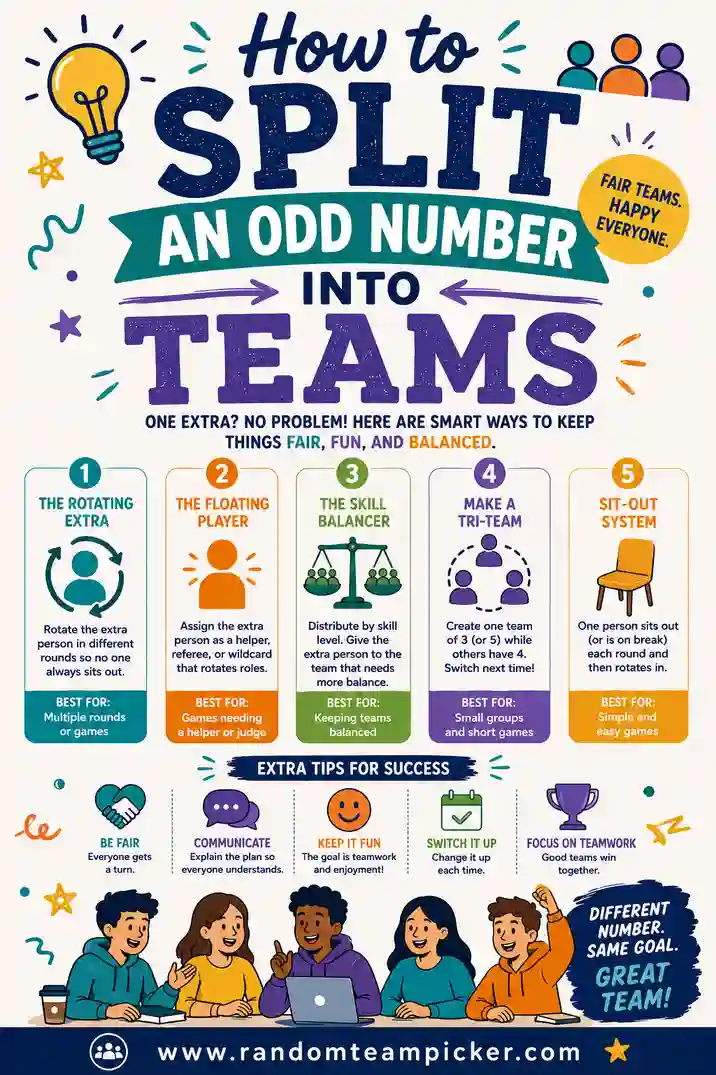
When the numbers don't divide evenly, a few tables will have one fewer person. That's fine, and it leaves room for a late plus-one. Our guide to splitting an odd number into teams has more tricks for uneven counts.
How many people fit at a table?
| Table | Comfortable | Squeezed |
|---|---|---|
| 48-inch round | About 6 | About 7 |
| 60-inch round | About 8 | About 10 |
| 72-inch round | About 10 | About 12 |
| 6-foot rectangle | About 6 | About 8 with one at each end |
| 8-foot rectangle | About 8 | About 10 with one at each end |
These are typical numbers. Wide chairs, big centerpieces and plated meals need more elbow room, and kids need less. When in doubt, ask your venue or rental company how they set their tables.
Random seating chart vs. planned seating chart
Random works best when you want people to mix: team banquets, office parties, school events, networking dinners, club meetings, game nights and reunions where cousins should meet cousins. It's also the fairest option when everyone's equal and you don't want anyone to feel left out of the "good table."
Planned works best when relationships matter: weddings, milestone birthdays, family dinners and events with a head table. Even then, a random split is a great starting point. Generate it, then make thoughtful swaps.
A good middle ground: seat the people with specific needs first (see below), then let the generator place everyone else.
Seating chart ideas for different events
Holiday parties and banquets
Mix departments, grade levels or teams so people talk to someone new. Put one host or organizer at each table to start conversations. For a family Christmas dinner, our Christmas dinner seating generator is set up with grandparents, grown-ups, teens and kids spread across tables.
Award dinners and team banquets
Seat award winners close to the stage, then randomize the rest. For sports banquets, mix players from different grades or squads, and seat families with their player.
Family reunions
Random tables break up the "everyone sits with their own household" habit. Enter each young family with small kids as one line so they stay together, and let teens and adults mix. See our family reunion team generator for games once dinner's done.
School events and meetings
Parent nights, staff trainings, workshops and club meetings all go better when people sit with someone new. Random tables also make small-group discussion easy: each table becomes a group.
Large events
For 100 or more guests, see our team generator for large groups for ways to split big lists into chunks.
How to keep couples and families together
The generator places each line as one unit. So:
- Type couples on one line: Ana & Luis
- Type a parent and small child on one line: Mia & baby Theo
- Type a family as one line: The Parker family (4)
The catch: the tool counts lines, not seats. A table with "The Parker family (4)" holds four people, not one. After you split, glance at the seat counts and swap a single guest to even things out.
Who to seat first (before you randomize)
- Guests who use a wheelchair or walker: a table with easy access and space for the chair.
- Older guests: away from speakers and drafty doors, close to restrooms.
- Families with babies or small kids: near an exit for quick breaks.
- Guests with hearing trouble: facing the stage or speaker.
- Hosts, speakers and helpers: spread out, or near the front if they're on the program.
Pull those names out, place them, then randomize the rest of the list.
Tips for a seating chart that works
- Give every table an anchor: a friendly guest or host who'll make introductions.
- Don't strand anyone: if a guest only knows one person, keep them together.
- Mix ages and groups for livelier conversation.
- Keep a kids' table close to their parents, and give it something to do.
- Name your tables by number, color or theme so guests find them fast.
- Finish late: make the chart a few days before the event, after the final head count.
- Print two copies: one at the entrance, one for whoever's helping with setup.
Printable seating chart ideas
Once you've split your list, press "Copy teams" and paste the result into a document or slide. Easy ways to show it:
- An easel sign at the door listing each table and its guests in alphabetical order
- Escort cards on a table at the entrance, each with a guest's name and table number
- Place cards at each seat (great for banquets)
- A simple printed list handed to the person checking guests in
Common seating chart mistakes
- Counting invitations instead of guests. Count people, including plus-ones and kids.
- Overstuffing tables to save on rentals. Squeezed tables are uncomfortable for a long meal.
- Splitting couples without asking. Some love mingling; others don't.
- Making the chart too early, before the RSVPs settle.
- No plan for no-shows. A table with one empty seat is fine. A table with three is lonely, so be ready to move a few people.
Want more control, like balancing by skill or picking captains for after-dinner games? Open the full team picker, or try our team generator for parties for the games part of the night.
FAQ
How do I make a seating chart for an event?
Count your guests, divide by the seats per table and round up to get the number of tables. Paste your guest list into a seating chart generator, set that many tables and split. Then make small swaps by hand and copy the result into your place cards.
How many tables do I need for my guests?
Divide the number of guests by the seats per table and round up. For example, 75 guests at tables of 8 is 9.4, so you need 10 tables.
How many people fit at a round table?
A 60-inch round table seats about 8 comfortably, and a 72-inch round seats about 10. A 6-foot rectangular table seats about 6, or 8 with someone at each end.
Is a random seating chart a good idea?
For mixers, banquets, team events and parties where you want people to meet, yes. For weddings and family events, start random, then keep couples and young kids with their families and make a few thoughtful swaps.
How do I keep couples or families together in a random seating chart?
Type them on one line, like 'Ana & Luis', so they land at the same table. Remember that line is two seats when you count each table.
Can I print the seating chart?
Yes. Use the Copy teams button, paste the tables into a document, and print it, or open the full team picker for more options.