Classroom Seating Arrangements: 8 Desk Layouts, When to Reseat and a Random Seating Chart
The best classroom seating arrangement depends on how you teach that week. Pods of 4 are the favorite for group work, rows work best for tests and direct teaching, and a U-shape is great for whole-class discussion. Most teachers keep one "home" layout and switch for special days, like rows on test day or a circle for a class meeting.
Who sits where matters just as much as the desk shape. Many teachers reseat every 4 to 6 weeks and after winter break, using a random seating chart so nobody feels picked on or favored, then making a few quiet adjustments for students who need a particular seat. This page walks through eight layouts, how to set up a fair random chart, and the small mistakes that make seating harder than it needs to be.
Key facts
- Pods of 4 suit group work; rows suit tests and lectures.
- Reseat every 4 to 6 weeks and after long breaks.
- Seat students with specific needs first, then randomize the rest.
- Groups needed = class size ÷ group size, rounded up.
- Keep a copy of the chart in your sub folder.
🎲 Pick a random team
Choose a group, then spin. One for each player gives everyone in the names list below a different team.
👥 Random Team Picker: split your list into teams
The sample names are from this page. Replace them with yours, one per line or separated by commas.
The seating generator above starts with a sample class of 24 split into 6 desk pods of 4, labeled Pod 1 to Pod 6. Swap in your own class list, one name per line or separated by commas, then use the − and + buttons to set how many desk groups your room has (2 to 12). Press "Split into teams," and press "Shuffle again" for a new arrangement. There's also a checkbox that keeps two chatty friends from the sample, Mason and Leo, in different pods. That pair is part of this page's sample, so for your own pairs, open the groups in the full team picker, where you can set your own keep-apart rules, balance by skill, print or share. "Copy teams" puts the finished pods on your clipboard so you can paste them into your seating chart.
Quick reference: 8 layouts at a glance
| Layout | Best for | Groups for a class of 24 |
|---|---|---|
| Rows | Tests, direct teaching | 4 rows of 6 |
| Pairs | Partner work | 12 pairs |
| Pods of 4 | Group work, centers | 6 pods |
| Tables of 5 or 6 | Labs, art, stations | 4 or 5 tables |
| U-shape | Discussion, demos | Whole class |
| Double U | Discussion, bigger class | 2 rings |
| Runway | Debates, review games | 2 sides |
| Circle | Class meetings | Whole class |
Choosing a layout for how you teach
Start with what students will spend most of their time doing. If most lessons are you at the board and students taking notes, rows or pairs keep attention forward. If students talk and build things together most days, pods or tables save you rearranging furniture every morning. If discussion is the heart of your class, a U-shape or circle lets everyone see each other's faces.
Then check the room. A U-shape needs a lot of open floor, and a circle needs even more. Pods fit almost any room, which is one reason they're so popular. Walk the space before you commit, and look for the paths students will use most: the door, the pencil sharpener, the sink, supply shelves and your desk.
The eight layouts, with honest pros and cons
Traditional rows. Rows are the calmest layout. Every student faces the board, there are few distractions, and you can walk the aisles easily. The trade-off is that group talk is awkward and students in the back rows can tune out. Rows are a strong choice for testing weeks and lecture-heavy units.
Pairs. Desks in pairs give every student a buddy for turn-and-talk while keeping the room easy to manage. The risk is pairs drifting into side chats, so change partners often.
Pods of 4. Four desks pushed together give you built-in groups, shared supplies and quick partner work, since each student has someone beside them and someone across. Some students sit sideways to the board and the room can get noisy. Pods work best once routines are set, especially with group work roles so every student has a job.
Table groups of 5 or 6. Larger tables give room for big materials and mean fewer groups to check on. They suit labs, art and stations, but bigger groups make it easier for quiet students to hide.
U-shape (horseshoe). Desks around three sides of the room let everyone see each other and the teacher, with an open middle for demos. It takes a lot of floor space.
Double U. Two nested U-shapes keep most of the discussion benefits with more desks. The inner row can block the outer row's view, so stagger the desks.
Two facing sides (runway). Two long rows facing each other across a center aisle create great energy for debates, review games and presentations. Students twist to see the board, so it's better as a special-day layout. The team generator for debate class splits students into the two sides.
Circle. A circle makes everyone equal, with eye contact for all. It's ideal for class meetings and Socratic seminars, but not for written work or tests.
How to make a random seating chart in five steps
First, pick your layout and count the desk groups: class size divided by group size, rounded up. Second, seat students with specific needs, such as a front-row seat for vision or hearing, a spot near the door for mobility, or a seat named in a support plan. Third, paste everyone else into the generator, set the number of groups and split. Fourth, check the result for pairs who struggle together, then shuffle again or make one small swap, and let students tell you privately about any real problem before you post it. Finally, copy the groups into your chart and save a copy so you can avoid repeat pairings next time.
If your class doesn't divide evenly, for example 26 students in pods of 4, you'll have 7 groups with two pods of 3. That's fine. A pod of 3 is still a working group, and our guide on splitting an odd number into teams has more ideas. For a class of 30 in pairs, you'd need 15 groups, which is more than this box handles, so use the random pair generator instead.
A worked example: 24 students in pods
Here's how the sample on this page works. A class of 24 uses pods of 4, so 24 ÷ 4 = 6 pods. Mason and Leo are known to distract each other, so the keep-apart box is ticked. You press split, and the tool spreads all 24 names across Pod 1 to Pod 6 with Mason and Leo in different pods. Suppose Leo needs a front seat for vision; you'd seat him first in the front pod, then make sure Mason's pod is somewhere else.
Once you're happy, copy the pods and paste them into a simple seating chart document. Draw the room from the board's point of view with the door and your desk marked, label each pod, and list the names under each label. That's your whole chart.
When to change the seating chart
Reseat every 4 to 6 weeks, or at the start of each unit or grading period. That's long enough for routines to settle and short enough that groups don't go stale. January is a natural reset, and a new chart on the first day back after winter break signals a fresh start. Reseat when a new student joins, when a group just isn't working, and before a big project so project groups and seats match. If you split the class into rotating stations instead, the station rotation generator handles that separately from seats.
Frequent changes help students learn to work with everyone, not only their friends. They also give you an easy fix when a spot isn't working, without singling anyone out, because everyone moves at the same time.
Making random seating feel fair
Random seating has one big advantage: nobody feels picked on or favored. To get the most from it, split the class in front of the students on the projector, so they see it's genuinely random. That one habit cuts down on complaints more than anything else I know.
Keep it random, but not blind. Some students need a particular seat because of vision, hearing, focus, mobility or a support plan, so place them first. Keep-apart rules handle known pairs. And keep a record of each chart, so the same two students don't share a pod three times in a row. Our guide on randomizing without repeats explains an easy method, and the full Random Team Picker can avoid repeat pairings across splits.
Seating by grade level
In kindergarten to 2nd grade, tables or pods with assigned spots work well, plus a rug area for whole-class time. Young students like knowing exactly where to go, and a name card on each spot helps. In 3rd to 5th grade, pods of 4 with group roles are a good default, with rows for testing weeks. Middle school teachers often use pairs or pods and reseat often, and a seating chart helps learn names fast across several classes. High school rooms vary by subject: rows, pairs or a U-shape in most classes, tables in labs and art rooms.
Fun ideas for reseating day
Name pods by color and put a colored card on each, or use themed table names tied to your unit, like planets, animals, authors or famous scientists. Mystery seats are a nice Monday start: put name cards on desks before students arrive and let them hunt for their spot. Some teachers add one flexible seating day a week, where students choose from a few spots like a standing table or the rug, with clear rules. You can also pair seating with weekly helpers from our classroom jobs list, so each pod has a supply helper.
Seating mistakes to avoid
The most common mistake is never changing the chart, so groups get stale and the same students always work together. Another is using seats as punishment. Moving a student "to the corner" in front of everyone hurts more than it helps; quiet adjustments work better. Ignoring sightlines is easy to do, so sit in a few seats yourself to check that everyone can see the board. And watch traffic paths to the door, sink and supplies, because a blocked path means constant bumping.
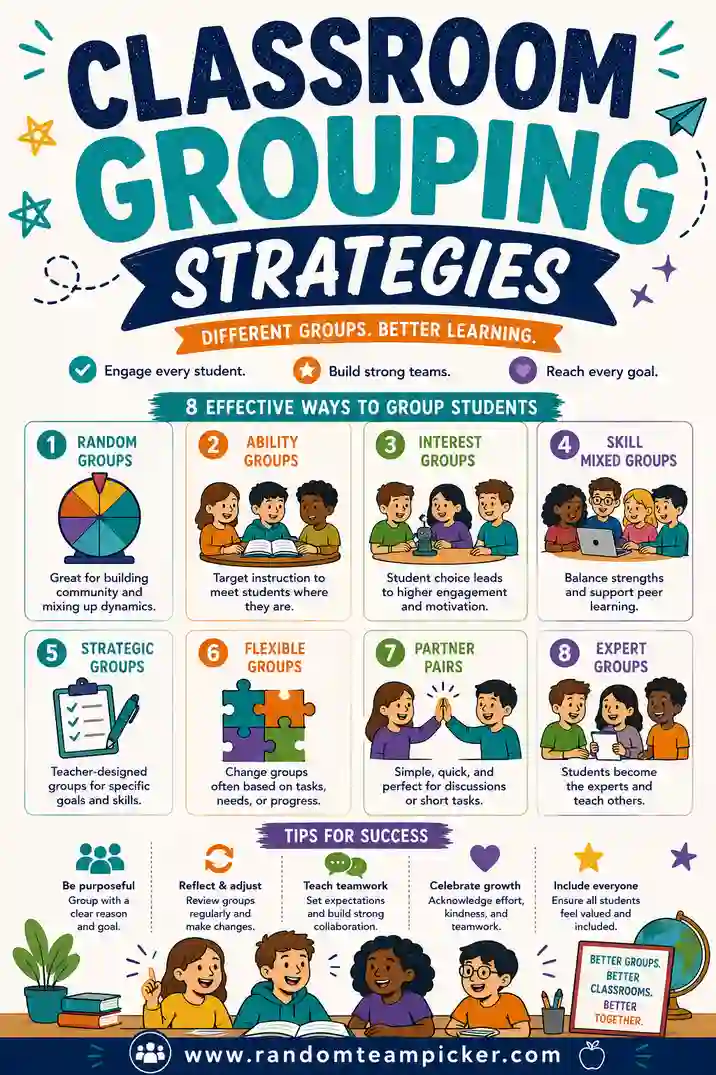
Grouping for a single activity rather than desks? Our classroom grouping strategies and how to divide a class into groups cover that. For more teacher tools, see the team generator for classrooms and the random team generator for teachers. For party tables rather than desks, the seating chart generator is the better fit. To split a full class with your own rules, open the Random Team Picker.
Quick answers about classroom seating
What is the best seating arrangement for a classroom?
It depends on how you teach. Pods of 4 are great for group work, rows help with tests and direct instruction, and a U-shape works well for discussion. Many teachers keep one home layout most of the year and switch to rows or a circle for special days.
How often should you change classroom seating charts?
Many teachers reseat every 4 to 6 weeks, at the start of a new unit or grading period, and after winter break. Frequent changes help students work with more classmates and give you an easy, low-drama way to fix a spot that isn't working.
Is random seating fair?
Random seating is a fair starting point because no one feels picked on or favored, especially if you split the class where students can see it. Then adjust for students who need a certain seat for vision, hearing, focus, mobility or a support plan.
How do I make a classroom seating chart?
Pick a layout, count your desk groups, then paste your class list into a seating generator and split into that many groups. Seat students with specific needs first, check for pairs who struggle together, then copy the groups onto a simple room drawing.
What seating arrangement is best for classroom management?
Rows or pairs give the fewest side conversations, and a U-shape lets you see every student at once. Pods work well once routines are set, especially when each student has a group role, so there's always a clear job to do.
How many students should be in a table group?
Groups of 4 are the most common, because every student has a partner beside them and one across. Groups of 3 to 6 all work. Larger tables suit labs and art, but make it easier for quiet students to sit back.
What do I do when a new student joins?
Add them to the smallest group if you can, so groups stay close in size. If every group is full, it's a good moment to reseat the whole class, which welcomes the new student without making them the only one who moved.
Should students choose their own seats?
Occasional choice, like a flexible seating day, can be a nice reward. For everyday seating, choice tends to put friends together and leave some students out. A random chart with a few quiet adjustments is usually fairer, calmer and kinder to everyone.