Cookie Exchange Table Groups: Rotate Guests So Everyone Mingles
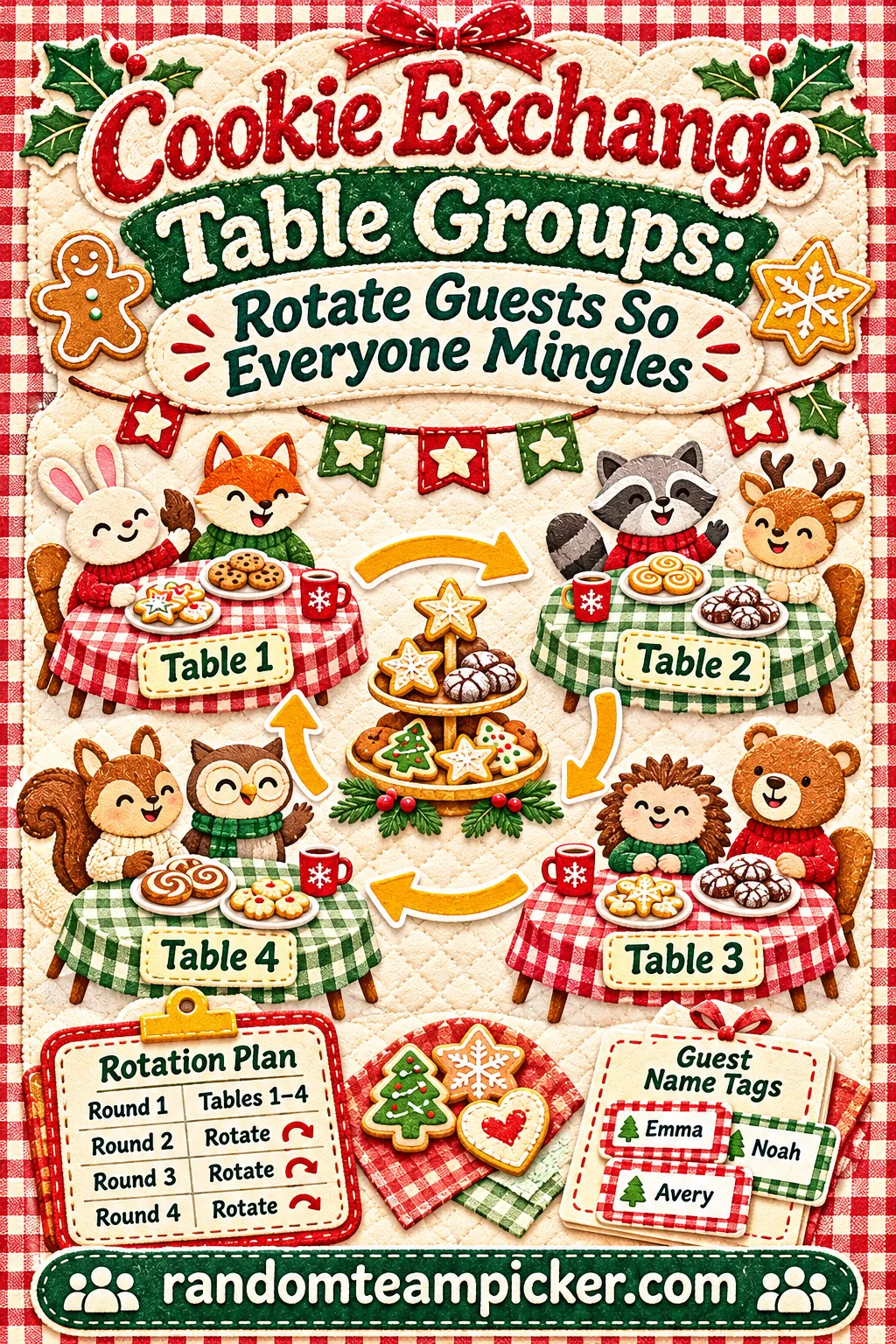
To get cookie exchange guests mingling, split them into random table groups of 4 to 6 and reshuffle the tables two or three times during the party, about every 15 to 20 minutes. Each round gives every guest a new set of people to taste, talk and swap recipes with. By the last round, most guests have chatted with more than half the room instead of the same three friends.
You can make those rotating groups in about five minutes with the free random team generator. Paste your guest list, set the number of tables, turn on Avoid repeat pairings, and generate once per round. Below you'll find table math for every party size, the exact tool settings, a full party timeline, things to do at each table, and fixes for the little snags that come up.
Why Cookie Exchange Guests Cluster (and How Rounds Fix It)
A cookie exchange should be one of the easiest parties to host. Everyone brings a batch, everyone leaves with a mix. But hosts tend to notice the same pattern every year. Guests walk in, set their tins down, and find the two or three people they already know. An hour later, those same little huddles are still standing in the same corners.
It's not rudeness. Most people feel shy walking up to a group of strangers, and a cookie party gives them nothing to do except stand near the snacks. If guests come from different parts of your life (neighbors, coworkers, family, friends from a class), those circles rarely cross on their own.
Table rounds fix this with a gentle push:
- Nobody has to make the first move. The host assigns tables, so walking up to strangers isn't the guest's choice. It's just where they're sitting.
- Each round has a job. Tasting, voting or trading recipes gives people a reason to talk.
- Rounds are short. Fifteen or twenty minutes with new people feels easy. If a table isn't clicking, it's over soon.
- Random feels fair. When a shuffle picks the tables, nobody wonders why they were put with someone. The tool did it.
- Everybody meets more people. Three rounds at tables of 5 means each guest can sit with up to 12 different people.
The groups don't need to be serious. A little "you're at the Peppermint table this round" fun is part of the charm.
How Many Tables and Rounds for Your Guest Count
Most cookie exchanges work best with table groups of 4 to 6. Smaller tables get awkward when someone steps away to refill their cocoa. Bigger tables split into two conversations anyway.
Here's how to split common guest counts. "Tables" is the number you type into the tool under Number of teams.
| Guests | Tables | Table sizes | Different people each guest can meet in 3 rounds |
|---|---|---|---|
| 8 | 2 | 4, 4 | Up to 7 (everyone, by round 3) |
| 10 | 2 | 5, 5 | Up to 9 (everyone) |
| 12 | 3 | 4, 4, 4 | Up to 9 of 11 |
| 15 | 3 | 5, 5, 5 | Up to 12 of 14 |
| 16 | 4 | 4, 4, 4, 4 | Up to 9 of 15 |
| 18 | 3 | 6, 6, 6 | Up to 15 of 17 |
| 20 | 4 | 5, 5, 5, 5 | Up to 12 of 19 |
| 22 | 4 | 6, 6, 5, 5 | Up to 15 of 21 |
| 24 | 4 or 6 | 6 x 4, or 4 x 6 | Up to 15 or up to 9 |
| 30 | 5 | 6 x 5 | Up to 15 of 29 |
The last column is a best case. It assumes nobody repeats a tablemate across rounds. With small parties, some repeats can't be avoided, and that's fine. Sitting with an old friend in round 3 after meeting eight new people is a nice way to end.
How many rounds?
- 2 rounds for a short party (about 90 minutes) or a group of 10 or fewer.
- 3 rounds for most parties of 12 to 24 guests. This is the sweet spot.
- 4 rounds only for a long party with lots of guests. Past 3 rounds, people start to feel herded.
How long should each round last?
Fifteen to twenty minutes works for most groups. That's enough time for everyone at the table to taste a few cookies, tell a quick story and swap a recipe. Ten minutes feels rushed. Thirty minutes is long enough for a table to run out of things to say.
Choosing between Number of teams and People per team
The tool gives you two ways to split:
- Number of teams when you know how many tables or seating spots you have. Three tables in your dining room and kitchen? Type 3.
- People per team when you care more about group size. Set it to 5 and the tool figures out how many tables you need. It rounds up so nobody is left out, then spreads the leftovers. Twenty-two guests at People per team set to 6 gives 4 tables of 6, 6, 5 and 5, not three tables of 6 and one of 4.
When the numbers don't divide evenly, the tool never makes one table more than one guest bigger than another. Our guide on how to split an odd number into teams explains exactly how the extras get placed.
How to Do It With the Free Tool (Exact Settings)
Here's a step-by-step walkthrough on the free random team generator for an 18-guest party with three rounds at 3 tables. Do this the day before, so you can print table lists and relax when guests arrive.
Step 1: Paste your guest list
Type or paste every guest's name into the Enter names box, one per line. If you kept RSVPs in a spreadsheet, copy the name column and paste it in; each cell lands on its own line.
A few tips before you go on:
- Use first names plus an initial if needed. "Maria G." and "Maria T." keep two Marias straight on a printed list.
- Include yourself if you'll sit down. If you'll be busy refilling drinks and greeting late guests, leave yourself off.
- Add kids only if they'll really sit. Little ones who'll run around should stay off the list (more on kids later).
Check the name counter under the box. It should match your RSVP count.
Step 2: Save the list for next year
Type a name like "Cookie swap guests" in the Saved lists box and click Save. It's stored in your own browser on that device. Next December, you can load it, change a few names and be done.
Step 3: Set your tables
Under Split mode, choose Number of teams and type 3 (or use the plus and minus buttons). For 18 guests, that's 3 tables of 6.
Step 4: Pick fun table names
Open the Team names menu and choose a style:
- Color names gives you colors like Reds, Greens and Golds. Tie a matching ribbon on each table's centerpiece, and guests can find their spot in a second.
- Food names fits a cookie party nicely.
- Team A, Team B… is the simplest if you'd rather write your own signs.
After you generate, you can click any table's name on its card and type a new one, like "Gingerbread Table" or "Sugar Cookie Corner." For more festive ideas, the holiday team name generator has a long list.
Step 5: Turn on Avoid repeat pairings
Check Avoid repeat pairings (keep people apart across shuffles). Now every time you click Generate, the tool remembers who sat together and steers them toward new tablemates in the next round. A small note under the checkbox tells you how many past pairings it's remembering, with a Reset history button next to it.
Two things to keep in mind:
- Click Reset history first if you've used the tool before on this device, so last year's party doesn't affect this year's tables.
- Every generate counts. Re-shuffles are remembered too. If you shuffle round 1 four times looking for the "perfect" mix, all four versions go into memory and round 2 has fewer fresh options. Settle any rules first, then generate each round once.
The Clear button also wipes this memory, so don't press it between rounds.
Step 6: Add a few rules
Open the Constraints section. You'll see two boxes. Write one rule per line, with names separated by commas.
- Keep apart spreads everyone on a line across different tables. It's the best way to break up a tight group of friends, or to split couples so each partner meets new people.
- Keep together keeps everyone on a line at the same table. Use it rarely, like for a parent and a young child, or a guest who only knows one person and would be miserable alone in round 1.
Here's an example for 18 guests at 3 tables:
Keep apart:
Jen, Alicia, Ruth
Tom, Maya
Keep together:
Sarah, Lily
Each rule goes in its own box. The first keep-apart line splits up a trio of best friends. The second puts a married couple at different tables. The keep-together line keeps a mom and her nine-year-old side by side.
If you ask for more separation than you have tables (four friends on one keep-apart line with 3 tables), the tool shows a warning and gives you the closest split. Shorten the line or add a table.
These rules stay in place each time you generate, so the friends stay spread out in every round.
Step 7: Generate all three rounds
Click Generate Teams. You'll see one colored card per table with a head count and a "+1" tag on any table that got an extra guest. If you want a starter at each table, check Pick a captain before you generate. The first name on each card gets a star, and that guest kicks off the table's first question.
Save round 1 before you make round 2:
- Print gives you a clean page to post near the door or on each table.
- Copy puts the list on your clipboard as text, handy for a group message.
- Copy link opens the same tables again later.
- CSV or TXT downloads a file.
Then click Generate Teams again for round 2, save it, and do the same for round 3. Write "Round 1," "Round 2" and "Round 3" at the top of each printout.
If one guest needs to move (say a guest using a wheelchair should always land at the table with the most room), drag their name to another card. On a phone, tap the name, then tap the new card.
A Cookie Exchange Timeline With Table Rounds
Here's a sample schedule for a 2.5-hour afternoon party with 18 guests at 3 tables. Slide the times to fit your day.
| Time | What happens | Tip |
|---|---|---|
| 0:00 | Guests arrive, drop cookies at the swap table, grab a drink and a name tag | Hand each guest their round 1 table color at the door |
| 0:20 | Welcome and how the rounds work (2 minutes) | Keep it short; people are holding cocoa |
| 0:25 | Round 1 at tables: introductions and cookie stories | Each table gets a small plate of mixed samples |
| 0:45 | Shuffle: guests check the round 2 list and move | Ring a bell or call it out |
| 0:50 | Round 2 at tables: blind tasting and voting | Ballots and pencils on each table |
| 1:10 | Shuffle to round 3 | Announce vote results while people move |
| 1:15 | Round 3 at tables: recipe card swap and holiday stories | Blank recipe cards on each table |
| 1:35 | Winners announced, then the cookie swap itself, table by table | Use the table groups as the swap order |
| 2:05 | Packing up, photos, goodbyes | Extra containers by the door |
| 2:30 | Party ends |
That's about 60 minutes of table time and plenty of room for the swap itself. For a shorter party, drop round 3 and run the recipe swap during round 2.
Before the party
| When | Task |
|---|---|
| 3 to 4 weeks before | Pick a date and send invites with the cookie count per guest |
| 2 weeks before | Collect RSVPs and any allergy notes |
| 1 week before | Remind guests what to bring: cookies, a container to take cookies home, and a recipe card |
| 2 days before | Generate all your rounds, print table lists, make table signs |
| 1 day before | Set up tables, label the swap table, prep ballots and recipe cards |
| Day of, 1 hour early | Put table signs and colored ribbons out, post the round 1 list by the door |
How guests find their table each round
You have a few easy options:
- Post the list. Tape each round's printout by the door or on the fridge. Guests look up their name and go.
- Read it out. The host reads each table's names. It takes about a minute for 18 guests and adds a little fun.
- Hand out tokens. Before the party, write each guest's three table colors on a small card (for example, "Red, Gold, Green"). Hand out the cards at the door. Guests always know where to go next, and you don't have to announce anything.
The token card is the smoothest option for bigger parties. It takes about 15 minutes to make 20 cards from your three printouts.
What to Do at Each Table, Round by Round
Rounds work best when each one has a small, clear activity. Here's a three-round plan that pairs nicely with a cookie exchange.
Round 1: Introductions and cookie stories
Put a plate of mixed samples on each table, two or three bites per guest. Then go around the table with one simple prompt:
- What cookie did you bring, and where did the recipe come from?
- What's the first cookie you remember baking or eating as a kid?
- What's one holiday baking disaster you can laugh about now?
- Is there a cookie your family makes every single year?
The table captain (the starred name, if you used Pick a captain) goes first. Each person gets about two minutes. With 6 guests, that fills the round nicely.
Round 2: Blind tasting and voting
Before the round, set a numbered plate on each table with one cookie from several different batches. Don't label who made what. Guests taste, talk, and fill in a little ballot. Categories that work:
- Best flavor
- Prettiest cookie
- Most creative
- Most like grandma's
- Best one to dunk in cocoa
Each table can agree on one pick per category, or everyone votes alone and you tally at the end. Announce winners before the swap. Small prizes are optional; a paper ribbon or bragging rights is plenty.
Blind tasting is the best mingling round because people have to talk about something specific. "Number 4 is way too good. What's in it?" is an easy way to start a conversation with a stranger.
Round 3: Recipe swap and holiday stories
Ask every guest to bring a recipe card for their cookie, or put blank cards on each table and let guests write theirs during the round. Pass cards around the table so everyone can snap a photo or copy down the ones they want.
While the cards go around, give the table a lighter prompt:
- What's a holiday tradition from your family that other people might find unusual?
- If you could only eat one cookie for the rest of December, which one?
- What's the best gift you ever received that cost nothing?
By round 3, guests have met enough people that conversation flows on its own. You may not even need the prompts.
Table activity ideas at a glance
| Activity | Best round | Supplies | Time |
|---|---|---|---|
| Cookie origin stories | 1 | Sample plate | 15 minutes |
| Blind taste test with ballots | 2 | Numbered plates, ballots, pencils | 15 to 20 minutes |
| Recipe card swap | 3 | Recipe cards, pens | 15 minutes |
| Decorate one cookie each | Any | Plain cookies, icing, sprinkles | 20 minutes |
| Holiday "two truths and a fib" | 1 or 3 | None | 10 to 15 minutes |
| Guess the secret ingredient | 2 | One mystery batch per table | 10 minutes |
| Sketch a dream cookie | Any | Paper, crayons | 10 minutes |
For more ideas for light games with mixed groups, our page on the team generator for parties has plenty that work around a table.
Running the Swap Itself Without a Traffic Jam
The swap is the main event, and it's also where a crowd tends to form. Twenty people with empty containers all reaching across one table at once is chaos. Your table groups solve that too.
Send tables up one at a time
Instead of everyone rushing the swap table together, call tables in order. Each table gets a few minutes to walk the line and fill containers, then the next table goes. With 3 or 4 tables, the whole swap takes about 20 to 30 minutes, and nobody gets elbowed.
To pick a fair order, open the team generator, type your table names (for example, Red, Gold and Green) into the names box, set Number of teams to 1, and click Generate. The tool still shuffles the list, so the order on the card is random. First on the list goes first. Do this after you have saved all your guest rounds, and uncheck Avoid repeat pairings first so the table names stay out of the pairing memory.
Do two passes
For a fair swap, run it in two passes:
- Pass 1: Each guest takes their share from each batch, like 6 cookies from every tin on the half-dozen plan.
- Pass 2: Leftovers are open for anyone, table by table in reverse order.
Reversing the order in pass 2 means the table that went last in pass 1 gets first pick of the extras.
How many cookies each guest should bake
The math is simple: each guest bakes enough for every guest to take the same number from their batch. Decide on the number per guest, then multiply by your headcount, counting the baker.
| Guests | 6 per guest (half dozen) | 12 per guest (one dozen) |
|---|---|---|
| 8 | 48 cookies (4 dozen) | 96 cookies (8 dozen) |
| 10 | 60 cookies (5 dozen) | 120 cookies (10 dozen) |
| 12 | 72 cookies (6 dozen) | 144 cookies (12 dozen) |
| 15 | 90 cookies (7.5 dozen) | 180 cookies (15 dozen) |
| 18 | 108 cookies (9 dozen) | 216 cookies (18 dozen) |
| 20 | 120 cookies (10 dozen) | 240 cookies (20 dozen) |
Each guest leaves with the same amount they baked, just mixed. Past about 12 guests, a dozen per guest becomes a lot of baking, so most bigger parties use a half dozen. If you plan a tasting round, ask each baker to bring one extra dozen for the sample plates.
Labels and allergies
Ask each guest to bring a small card for their tin with the cookie name, their name, and any common allergens, especially nuts, dairy, eggs, wheat and soy. Set out extra cards and a pen for anyone who forgets. If a guest has a serious food allergy, ask them ahead of time what helps, such as keeping certain tins at a separate spot or using separate tongs.
Small Spaces, Big Groups, Kids and Coworkers
Not every cookie exchange happens around neat dining tables. Here's how to adapt the groups to your space and crowd.
No tables? Use "spots" instead
In a small apartment, a "table" can be any spot where 4 to 6 people can stand or sit together: the couch, the kitchen island, the window nook, the hallway bench. Name each spot in the tool (click a card's name and type "Couch" or "Kitchen Island") so guests know exactly where to go. Groups of 4 fit small spots better than groups of 6.
Big groups of 25 or more
For a church hall, office break room or neighborhood clubhouse, use more tables rather than bigger ones. Set People per team to 6 and let the tool work out the table count. Thirty guests gives 5 tables of 6. Number the tables with big, easy-to-read signs, and use the token-card idea from earlier, since reading 30 names out loud takes too long.
With 25 or more guests, the swap needs more structure too. Set up the swap table so guests can walk down both sides, and call two tables at a time if the line is short enough.
Parties with kids
Kids change the plan a little:
- Young kids (under about 7) usually do better staying with a parent. Use Keep together for each parent and child, or leave the little ones off the list and set up a kids' craft corner.
- Older kids (about 8 to 12) can have their own table groups. Run their names through the tool separately, set a number of tables, and give them a decorating round with plain cookies and icing while the adults rotate.
- Teens often enjoy mixing with adults, especially in the voting round. Add them to the main list.
If you want kids and adults to mix, add a Keep apart line with the kids' names so they spread across tables instead of forming one loud kids' table.
Office cookie swaps
At work, the goal is usually mixing departments. Put people from the same small team on one Keep apart line so they land at different tables. If one big department would take over a table, add , 5 after each of their names, leave everyone else blank (the tool counts blanks as 3), and turn on Balance by skill. The tool evens out each table's total, which spreads those people around. Point totals show on the cards, so delete them from the copied text before you post it.
Family gatherings
At a family cookie day, the clusters are usually by household. Put each household on its own Keep apart line, and cousins, in-laws and grandparents end up mixed. It's a nice way to make sure the new son-in-law isn't stuck with the same three people all afternoon.
For more on the idea of fresh groups each time, read our guide on how to randomize without repeats.
Troubleshooting and Host Scripts
Even with a good plan, a few things go sideways at most parties. Here are quick fixes.
| Problem | Likely cause | Fix |
|---|---|---|
| Two best friends keep ending up together | They're not on a keep-apart line | Add them to one Keep apart line and regenerate before the party |
| Round 2 has lots of repeats from round 1 | Several re-shuffles of round 1 filled the pairing memory | Click Reset history, then generate rounds 1, 2 and 3 again in a row |
| Keep-apart warning appears | More names on one line than you have tables | Shorten the line, split it in two, or add a table |
| A guest arrives late | Life happens | Seat them at a table without the +1 tag, and add them by hand to short tables in later rounds |
| A guest has to leave early | Babysitter, another party | Let the table carry on; a table of 4 still works |
| One table is very quiet | Shy mix | Drop by with the sample plate and ask a cookie question to get it going |
| Guests ignore the shuffle and stay put | Rounds felt optional | Ring a bell, read names out once, and move the sample plates to the next round's tables |
| Name counter doesn't match RSVPs | Duplicate or blank lines | Scroll the names box and delete repeats |
| Pairing memory disappeared | Someone pressed Clear, or you opened the tool on another device | Use your printouts or saved links; once saved, the lists don't need the tool |
What to say when you start the rounds
"Welcome, everyone, and thanks for bringing so many cookies! Here's the plan. We're going to do three short rounds at the tables, about 15 minutes each, and you'll sit with different people every round. The groups were picked at random, so nobody planned who you're with. Your card tells you your table color for each round. First round, introduce yourself and tell your table the story behind the cookie you brought. Go find your color!"
What to say when you move to the next round
"Time to shuffle! Finish your thought, grab your drink, and head to your round 2 table. This round is the blind taste test. Your ballots are on the table."
What to say if guests push back
Some guests will ask to stay with their friend. A light, friendly answer works:
"I know, I know! It's just 15 minutes, and you'll get your friend back for the swap. Trust the shuffle."
Because the groups came from a random shuffle, it's easy to point to the list. You didn't choose to split anyone up. The tool did, and everyone got the same treatment.
A note for guests who'd rather not rotate
A few guests might have a good reason to stay put, like a mobility need, a new baby on their lap, or simple shyness. That's fine. Leave them off the list or use Keep together with a friend, and let them host a "home base" table where others come and go.
Your Next Step
Grab your RSVP list and open the free random team generator. Paste the names, set Number of teams to the number of tables you have, check Avoid repeat pairings, add a Keep apart line for your tightest friend group, and click Generate once for each round. Print the lists or make token cards, put a sample plate on every table, and your guests will spend the afternoon meeting each other instead of standing in the same corner.
Frequently Asked Questions
How many people should sit at each table at a cookie exchange?
Groups of 4 to 6 work best. Four is great for small spaces and quieter guests, while 6 keeps the energy up at bigger parties. Avoid groups of 8 or more, since they tend to split into two conversations.
How many rounds of table groups should I run?
Three rounds suit most parties of 12 to 24 guests, at about 15 to 20 minutes each. For a short party or 10 or fewer guests, two rounds are enough. More than four rounds starts to feel like too much moving around.
How do I make sure guests sit with new people each round?
Turn on Avoid repeat pairings in the team generator, then click Generate Teams once per round. The tool remembers who sat together and steers guests toward new tablemates next time. Click Reset history before you begin, and don't press Clear between rounds.
Can I keep couples or best friends at different tables?
Yes. Open Constraints and type their names on one line in the Keep apart box, separated by commas. Each name on the line goes to a different table, every round. You need at least as many tables as names on the line.
How many cookies should each guest bring?
Pick a number per guest and multiply by the full headcount, including the baker. With a half dozen per guest and 12 guests, each baker brings 72 cookies, or 6 dozen. Many bigger parties stick with a half dozen per guest, since a full dozen gets to be a lot of baking.
What if I only have one big table?
Treat parts of your home as tables: the couch, the kitchen island, the dining table and a corner with chairs all work. Rename each card in the tool to match the spot, so guests know exactly where to go. Smaller groups of 4 fit these spots best.
How do I decide which table goes to the swap first?
Type the table names into the team generator, set Number of teams to 1, and click Generate. The tool shuffles the list, so the order on the card is random. Do this after you've saved your guest rounds, and reverse the order for a second pass at leftovers.
Do kids need their own groups?
Young kids usually do best next to a parent, so use Keep together or skip them on the list. Kids around 8 to 12 can rotate through their own tables with a decorating activity. Teens often enjoy joining the adult rounds, especially the tasting vote.