Advent Calendar Turns: Who Opens Today's Door?
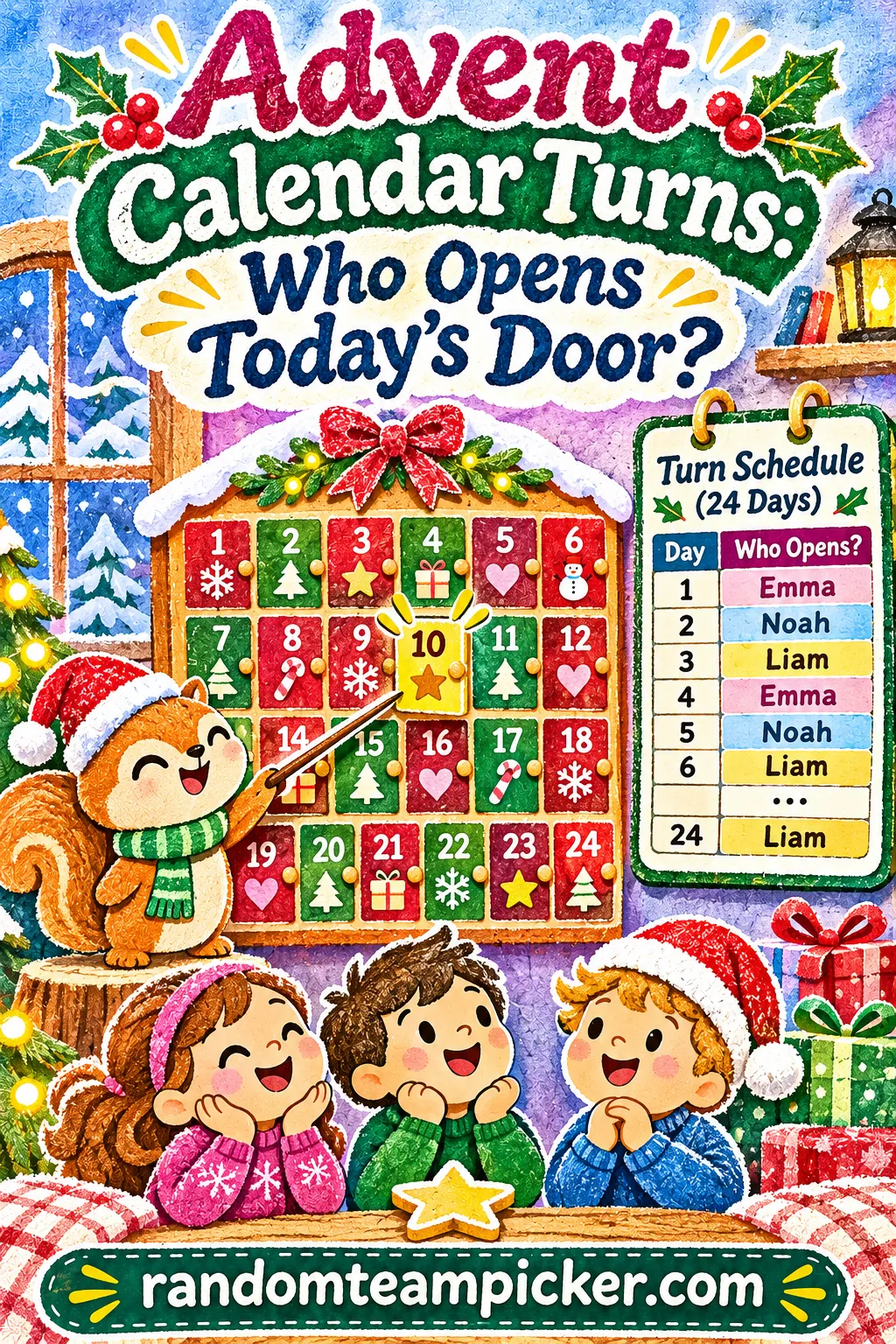
The way to end the daily fight over advent calendar turns for siblings is to decide all 24 days before December 1: make one fair schedule, post it on the fridge, and point to it every morning. When the schedule says it's Leo's door today, there's nothing left to argue about.
The free random team generator can build that schedule in about two minutes. You can either draw a random rotation order for your kids or deal all 24 days out to them like cards, with special days like Christmas Eve and weekends spread out evenly. This guide covers both methods, the exact settings, a printable example for three kids, and fixes for sick days, sleepovers, shared custody and toddlers who don't get the system yet.
Why Kids Fight Over the Advent Calendar Door
An advent calendar has one small door a day, and in a lot of homes there's only one calendar for several kids. That's 24 mornings in a row where someone gets the fun job and someone else watches. Even kids who get along most of the year can turn that into a daily battle.
The fights usually come from the same few places:
- Nobody remembers whose turn it was yesterday. "I opened Tuesday!" "No, that was me!" Without a written record, every morning starts with a memory contest.
- Some days feel bigger than others. The first door, weekend doors when everyone is home, and the last door before Christmas all feel more special than a random Wednesday.
- Early risers have an edge. If the rule is "whoever gets there first," the kid who wakes up at 6 wins every day.
- Parents decide on the spot. When a tired parent picks each morning, kids keep score of every choice, and somebody always feels shortchanged.
- Skipped days throw everything off. One sleepover or sick day, and the "just take turns" plan falls apart.
A fixed schedule solves all of these at once. The order is written down, the special days are shared out on purpose, nobody can race for it, and the parent isn't the judge anymore. The schedule is. That last part matters more than it sounds. When the answer comes from a list that everyone saw being made, kids argue with the list less than they argue with you.
Why a random draw beats "oldest first"
Some families go by age: oldest opens first, then the next, and so on. That's simple, but it hands the same kid the first door every year, and the youngest always waits. A random draw gives every child the same chance at door 1, and the result changes from year to year. Kids are far more willing to accept going second when they watched the draw happen.
How Many Days Each Child Gets
Before you build anything, it helps to know how the numbers work out. Most advent calendars have 24 doors, for December 1 through 24. Some have a 25th door for Christmas Day. Here's how the doors split for different family sizes.
| Kids | 24-door calendar | 25-door calendar |
|---|---|---|
| 2 | 12 each | 13 and 12 |
| 3 | 8 each | 9, 8, 8 |
| 4 | 6 each | 7, 6, 6, 6 |
| 5 | 5, 5, 5, 5, 4 | 5 each |
| 6 | 4 each | 5, 4, 4, 4, 4, 4 |
| 7 | 4, 4, 4, 3, 3, 3, 3 | 4, 4, 4, 4, 3, 3, 3 |
| 8 | 3 each | 4, 3, 3, 3, 3, 3, 3, 3 |
The good news: 24 divides evenly by 2, 3, 4, 6 and 8, so most families get a perfectly even split with a standard calendar. Five or seven kids leaves a remainder, which we'll handle below. The team generator handles remainders the same way: it never gives one child more than one extra door.
Which days feel special?
Even with an even count, kids will notice if one of them gets all the "good" days. Talk with your family about which days count as special. Common picks:
- December 1, the very first door.
- December 24, the last door before Christmas.
- Weekend days, when the whole family is home and nobody is rushing to school.
- December 25, if your calendar has a 25th door.
- Days with family plans, like the day you pick out a tree or the day grandparents visit.
In 2026, December 1 is a Tuesday, December 24 is a Thursday and Christmas Day falls on a Friday. The weekend days from December 1 to 24 are December 5, 6, 12, 13, 19 and 20. That's six weekend doors, which split evenly for 2, 3 or 6 kids.
Two Fair Ways to Set the Schedule
There are two good methods, and both work with the same free tool. Pick the one that fits your family.
Method 1: Random rotation order. You draw the order of your kids once, then repeat it all month. If the draw says Leo, Ava, Maya, then Leo opens December 1, Ava opens December 2, Maya opens December 3, and the cycle starts again on December 4. It's easy for little kids to follow, because the pattern never changes.
Method 2: Deal out all 24 days. You list every day as an item and the tool deals them out to your kids at random, like dealing cards. You can tell it to spread the special days evenly. Kids end up with days that don't follow a pattern, which feels more like a surprise, but you'll need a written chart, since nobody can work out whose day it is in their head.
| Rotation order | Deal out 24 days | |
|---|---|---|
| Setup time | About 1 minute | About 3 minutes |
| Easy for young kids to follow | Yes, the pattern repeats | Needs a chart |
| Even number of doors | Yes | Yes |
| Spreads special days on purpose | No, it follows the calendar | Yes, with Balance by skill |
| Same kid always follows the same sibling | Yes | No |
| Handles 5 or 7 kids neatly | Fairly well | Yes |
| Best for | Ages 3 to 7, 2 to 4 kids | Ages 6 and up, or any family that cares about special days |
Rotation is the simpler starting point for most families. If your kids are old enough to say "but she got two Saturdays," go with the deal method, which can spread the special days on purpose.
How to Do It With the Free Tool (Exact Settings)
Both methods use the free random team generator. It was built to split names into fair teams, which turns out to be exactly what a turn schedule is: a fair split of days among kids.
Method 1: Draw a rotation order
This takes about a minute.
- Type your kids' names, one per line, in the names box. For example: Maya, Leo, Ava.
- Choose People per team under Split mode, and set the number to 1. Every child becomes their own one-person team.
- Set Team names to Team 1, Team 2… so each card shows a number.
- Turn off Pick a captain. With one child per team, it would put a star on everyone.
- Leave Reveal animation on if your kids are watching. The cards appear one at a time, starting with Team 1, and kids love seeing who comes up first.
- Click Generate Teams.
Team 1 opens December 1, Team 2 opens December 2, Team 3 opens December 3. Then the order repeats until the 24th. That's it.
A nice side effect: with 2, 3, 4 or 6 kids, the child who draws the last spot in the order is the one who opens December 24. So going last in the draw isn't bad news. It means you get the last door before Christmas. Tell the kids that before you click, and nobody minds where they land.
Method 2: Deal out all 24 days
This takes a few minutes longer and gives you more control over special days.
Step 1: List the days. Instead of kids' names, type the days in the names box, one per line:
Day 01
Day 02
Day 03
...
Day 24
Typing "Day 01" instead of "Day 1" for the first nine days keeps the list in order if you later sort it in a spreadsheet, since "Day 10" would otherwise sort before "Day 2." The counter under the box should say 24 names (or 25 if your calendar has a Christmas Day door).
Step 2: Set the number of kids. Under Split mode, choose Number of teams and type how many kids you have. For three kids, type 3. The tool will deal the 24 days into three groups of 8.
Step 3: Mark the special days (optional, but worth it). If you want the special days spread out evenly, add a comma and the number 5 after each one:
Day 01, 5
Day 05 Sat, 5
Day 06 Sun, 5
Day 12 Sat, 5
Day 13 Sun, 5
Day 19 Sat, 5
Day 20 Sun, 5
Day 24, 5
Every other day stays as plain text with no number, which the tool counts as 3. Then turn on Balance by skill. The feature is meant for spreading strong players across sports teams, but it works just as well here. It hands out the high-number days first, one child at a time, so each kid gets a fair share of them before the regular days are dealt. With three kids and eight special days, two kids get three special days and one gets two. With two or four kids, everyone gets exactly the same number of special days.
Each card will show a "pts" total once balancing is on. You can ignore it, or use it as a quick check that the totals are close.
Step 4: Keep the biggest days apart (optional). Open Constraints and type this on one line in the Keep apart box:
Day 01, Day 24
That makes sure the same child doesn't get both the first door and the last one. Type the day names exactly as they appear in your list, without the ", 5" part. If you have at least three kids and want Christmas Day apart too, add it to the same line: Day 01, Day 24, Day 25.
Step 5: Decide which card is which child, before you click. This is the step most parents skip, and it matters. The cards come out as Team 1, Team 2 and Team 3. If you look at the results first and then decide which child gets which card, kids will suspect you picked the best one for a favorite. So agree before you generate: "Team 1 is Maya, Team 2 is Leo, Team 3 is Ava." Going by age order is fine here, since the days themselves are random.
Step 6: Generate, then rename the cards. Click Generate Teams. Then click on each card's name and type over it with your child's name. If you need to use Re-shuffle before anyone has seen the result (to fix a typo, for example), the names you typed stay on the cards. A brand-new Generate Teams click resets them.
Step 7: Share and print. Use the buttons above the cards:
- Print gives a clean printout with the menus hidden. Tape it to the fridge.
- Copy puts the schedule on your clipboard as text, handy for a family chat or for the other parent.
- Copy link gives you a link that opens this exact schedule, so you can pull it up on your phone if the printout disappears.
- CSV downloads the schedule as a spreadsheet file with a Team column and a Name column. Sort by the Name column to see every day in order.
One honest note: the days on each card come out in the order they were dealt, not in date order. So Maya's card might say Day 17, Day 03, Day 22. That's fine for a record, but for kids, copy the days into a simple calendar chart (more on that below).
Saving your list for next year
At the top of the generator, type a name like "Advent days" in the Saved lists box and click Save. The list, including your ", 5" marks, is stored in your own browser. Next November, click Load, update the weekend days for the new year, and generate a fresh schedule. Since it's saved only in that browser on that device, keep a copy in a notes app too.
A Worked Example: Three Kids, December 2026
Here's what a finished rotation schedule looks like for Maya (9), Leo (7) and Ava (4). The family used Method 1, and the draw came out Leo, Ava, Maya.
| Date | Day | Opens the door |
|---|---|---|
| Dec 1 | Tue | Leo |
| Dec 2 | Wed | Ava |
| Dec 3 | Thu | Maya |
| Dec 4 | Fri | Leo |
| Dec 5 | Sat | Ava |
| Dec 6 | Sun | Maya |
| Dec 7 | Mon | Leo |
| Dec 8 | Tue | Ava |
| Dec 9 | Wed | Maya |
| Dec 10 | Thu | Leo |
| Dec 11 | Fri | Ava |
| Dec 12 | Sat | Maya |
| Dec 13 | Sun | Leo |
| Dec 14 | Mon | Ava |
| Dec 15 | Tue | Maya |
| Dec 16 | Wed | Leo |
| Dec 17 | Thu | Ava |
| Dec 18 | Fri | Maya |
| Dec 19 | Sat | Leo |
| Dec 20 | Sun | Ava |
| Dec 21 | Mon | Maya |
| Dec 22 | Tue | Leo |
| Dec 23 | Wed | Ava |
| Dec 24 | Thu | Maya |
Let's check how fair it came out:
- Doors: Leo 8, Ava 8, Maya 8.
- Weekend doors: Leo gets the 13th and 19th, Ava gets the 5th and 20th, Maya gets the 6th and 12th. Two each.
- First and last: Leo opens December 1, and Maya opens December 24. Different kids.
In 2026, a three-kid rotation happens to split the weekends evenly on its own. That won't always be true. With four kids in a rotation this year, for example, the child in the fourth spot gets two weekend doors plus Christmas Eve, while the second and third kids get one weekend door each. If that kind of thing will cause trouble in your house, use Method 2 with the special days marked.
What the same family gets with Method 2
If Maya, Leo and Ava's parents used the deal method with the eight special days marked (December 1, the six weekend days and December 24) and Day 01 and Day 24 kept apart, every child would get 8 doors. Two kids would get three special days and one would get two, and the first and last doors would go to different children. The exact days change with every draw, which is the point.
To even out that last difference, many families give the child with only two special days the job of opening Christmas morning's door, if the calendar has one, or another small perk like choosing the family movie night snack. Decide the perk before you generate, so it doesn't feel like a consolation prize made up on the spot.
Making a Schedule Kids Can Actually Follow
The schedule only ends arguments if kids can see it and read it. A list on your phone doesn't help a 5-year-old at 7 in the morning. Here are a few ways to make it visible.
The fridge chart
Draw a simple grid with 24 boxes, numbered 1 to 24, and write the child's name in each box. Or give each child a color, and color the boxes instead of writing names. Pre-readers can find "their color" even if they can't read their name yet.
| Child | Color | Sticker or symbol |
|---|---|---|
| Maya | Blue | Star |
| Leo | Green | Tree |
| Ava | Red | Heart |
Tape the chart right next to the advent calendar. Each morning, the child whose day it is checks off the box after opening the door. The checked boxes become a running record, which ends "I already went" arguments on the spot.
Mark it on the calendar itself
If your calendar has room around the doors, write each child's initial or put a small colored dot beside each door number. It's the most foolproof option, since there's nothing separate to lose. Use removable dot stickers if the calendar is one you reuse each year.
Put the printout on the wall
The tool's Print button gives you one card per child, each listing their days. Older kids can read their own card, and a printout taped up beside the calendar is easy for everyone to check. Just remember the days on each card aren't in date order, so circle or highlight them on a regular wall calendar too.
Say it the night before
A quick "Tomorrow is Ava's door" at bedtime heads off a lot of morning trouble. It gives the next child something to look forward to and reminds the others that their day is coming.
House Rules for Missed Days, Swaps and Shared Custody
A schedule is only as good as its rules for the days that don't go to plan. Set these before December 1, and say them out loud when you show the kids the schedule.
Rule 1: A missed day isn't lost
If a child is away on their day, at a sleepover, a grandparent's house or a school trip, their door waits for them. Nobody else opens it. When they come home, they open the missed door first, then the day's owner opens today's door.
This rule matters more than any other. Kids will happily wait for a door when they know it's protected. What starts fights is "you weren't here, so I opened it."
Rule 2: Swaps are allowed, but only both ways and in advance
Kids can trade days if both agree, and they have to tell a parent the night before. No trades at 7 in the morning, and no trades where one child pressures the other. If an older sibling keeps "trading" with a little one who doesn't really understand, a parent can say no.
Write any swap on the fridge chart, so the record stays correct.
Rule 3: Sick days
A sick child can still open their door from the couch. Bring the calendar to them, or let them pick a stand-in to open it while they watch. If they're too sick to care, hold the door until they feel better, same as a missed day.
Rule 4: What happens when someone opens the wrong door
It will happen at least once, usually with a younger child. Keep it simple: the door is open, the treat or surprise goes to the child whose day it was, and the opener gets a gentle reminder. Don't redraw the schedule over one mistake.
Rule 5: Shared custody and two homes
If your kids split December between two homes, you have a few options:
- One calendar travels. It goes back and forth with the kids, and the schedule goes with it. Missed days wait until the calendar is back.
- One calendar in each home. Each home makes its own schedule for the days the kids are there. You can use the tool for each home's set of days: list only those days and split them the same way.
- Doors stay home, turns stay fixed. The calendar stays in one home, and doors from days spent at the other home are opened together on the first day back, in order, by whoever's turn each one was.
Whatever you pick, share it with the other parent so the kids hear the same rules in both homes. Copy or Copy link makes that easy.
A script for introducing the schedule
Here's one way to say it, word for word, on the last day of November:
"This year we're doing advent turns a new way. Watch the screen. The computer is going to pick the order, and nobody can change it, not even me. Whoever comes up first opens December 1. Whoever comes up last gets Christmas Eve. If you're away on your day, your door waits for you. If you want to trade a day, you both have to agree, and you have to tell me the night before. Ready?"
That last line about Christmas Eve takes the sting out of going last. "Not even me" is also worth saying out loud. It tells the kids the schedule is the boss, not the parent.
Variations by Age and Family Setup
Every family is a little different. Here's how to adjust.
Toddlers and preschoolers
Very young kids don't really understand turns on a calendar, but they understand "your color" or "your sticker." Use the colored fridge chart, and keep the daily routine exactly the same: same time, same spot, same parent nearby. Rotation (Method 1) works best for this age, because the pattern repeats and older siblings can help remind them.
If a toddler is sharing with much older siblings, the older ones can help them open the door. Just make sure the toddler is the one who gets the treat or surprise on their day.
Big age gaps
A 12-year-old and a 3-year-old don't care about the same things. Older kids may be fine giving the little one extra days, and some families let older kids "donate" a day if they want to. Don't make it a requirement. A fair schedule first, generosity second.
Two kids
Two kids is the easiest case: one takes the odd dates, the other the even dates. Draw which child gets odd dates with the tool: type both names, set People per team to 1, and generate. Team 1 takes the odd dates, starting with December 1. In 2026, both children get three weekend doors, and the even-date child opens December 24.
Twins or kids the same age
Twins often get compared more than other siblings, so a fair, visible system matters even more. Method 2 with special days marked works well, because the special days split evenly between two kids. Keep Day 01 and Day 24 apart so each twin gets one of the big doors.
Five or seven kids
Five kids with a 24-door calendar means four kids get 5 doors and one kid gets 4. The tool spreads the extra doors one at a time and tags the cards that got an extra with a "+1," so you can see exactly who has the shorter list. Give that child something small to make up the difference, decided in advance, like opening a 25th door if your calendar has one. For more on how leftovers get handed out, our guide on how to split an odd number into teams explains the math.
One calendar per child
If every child has their own calendar, you don't need a turn schedule for opening. But families still fight over who goes first each morning, especially when there's one shared spot or a reading to do. You can use the same rotation idea: Team 1 opens first on December 1, Team 2 opens first on December 2, and so on.
Calendars with an activity or reading
Some calendars hold a small activity, a verse or a family task instead of a treat. You can split the job into two roles: one child opens the door, another reads it out or leads the activity. Draw the opener order with the tool as usual, and let the next child in the rotation be the reader. Every child gets both jobs the same number of times.
Blended families and cousins
When cousins or step-siblings share a calendar for part of December, list only the days they're together and split those days among all the kids who'll be there. Use the deal method (Method 2), since the kids won't all be present every day. For a different twist on mixing up groups across days, our guide on how to randomize without repeats covers the avoid-repeat setting, which helps if you're also making teams for holiday games.
Troubleshooting Advent Turns
Even with a good schedule, things come up. Here's a quick guide.
| Problem | Likely cause | Fix |
|---|---|---|
| "It's my turn!" "No, mine!" every morning | No written schedule | Make one with the tool and tape it next to the calendar |
| One child has most of the weekend doors | Plain rotation in a year when weekends fall unevenly | Use Method 2 with weekend days marked ", 5" and Balance by skill on |
| The same child got Day 1 and Day 24 | No keep-apart rule | Put Day 01, Day 24 on one Keep apart line before generating |
| The counter says 23 or 25 names | A missing day or an extra blank line with text | Check the list against 1 to 24, one line each |
| Every card shows a star | Pick a captain is on | Turn it off; you don't need captains for a schedule |
| Cards show points totals | Balance by skill is on | That's expected; ignore the points or use them as a check |
| Kids think you picked the best card for someone | Cards were matched to kids after the results appeared | Decide Team 1 = which child before clicking Generate |
| A child was away on their day | Sleepover, trip or other home | Their door waits for them; they open it first when they're back |
| A younger child opened a sibling's door | Mix-up | The surprise goes to the child whose day it was; the schedule stays |
| One child has a "+1" tag | 24 doesn't divide evenly by your number of kids | Normal; agree on a small perk for the child with fewer days |
| Lost the printout | It happens | Open your Copy link on your phone, or print again |
When kids still argue
Sometimes the fight isn't really about the door. A child who's feeling left out, tired or jealous for other reasons will pick at whatever's in front of them, and the calendar is right there. A schedule removes the fairness argument, but it can't fix a bad morning. If the arguing keeps going, a calm "the schedule says it's Leo's day, and yours is tomorrow" followed by a change of subject usually works better than re-explaining the rules.
If you want more ideas for keeping kids' activities fair, our page on the team generator for kids' games has tips that work well for other holiday games too, and our guide on how to make fair teams explains why a visible random draw feels fairer to kids than a grown-up's choice.
Your December plan, start to finish
Here's the whole thing as a simple timeline.
| When | What to do |
|---|---|
| Last week of November | Decide which days count as special and pick a method |
| November 29 or 30 | Run the draw with the kids watching |
| Same night | Make the fridge chart and mark the calendar |
| December 1 | First door opens; check the box on the chart |
| Every night | Say "Tomorrow is ___'s door" |
| Mid-December | Check the chart for any missed days still waiting |
| December 24 | Last door. Celebrate a month with no arguments |
| After the holidays | Save your list in the tool for next year |
Ready to set it up? Open the free team generator, type your kids' names, set People per team to 1, and click Generate Teams for a rotation order. Or list Day 01 to Day 24, set Number of teams to your number of kids, mark the special days, and turn on Balance by skill. Either way, build your advent schedule now and spend December mornings opening doors instead of settling arguments.
Frequently Asked Questions
How do you decide whose turn it is to open the advent calendar?
Make a schedule for all 24 days before December 1 and post it next to the calendar. Draw a random order of your kids with a free team generator, then repeat that order all month. When the schedule is written down, there's nothing to argue about each morning.
How do you split 24 advent doors between 3 kids?
Each child gets 8 doors. The simplest way is a rotation: draw the order once, then child 1 opens December 1, child 2 opens December 2, child 3 opens December 3, and the cycle repeats. The child drawn third ends up opening December 24.
What if I have 5 kids and only 24 doors?
Four kids get 5 doors and one gets 4. The team generator shows a "+1" tag on the cards that got the extra door. Agree on a small perk for the child with 4 doors ahead of time, or use a 25-door calendar, which splits exactly 5 each.
Who should open the first advent calendar door?
Let a random draw decide. Going by age means the same child goes first every year, which feels unfair to the younger ones. With a draw, every child has the same chance, and the order changes from year to year.
How do I make sure one child doesn't get all the weekend days?
List the days in the team generator, add ", 5" after each weekend day, and turn on Balance by skill. The tool deals the marked days out first, one child at a time, so the special days are spread as evenly as the numbers allow. With two or four kids, each child gets the same number.
What happens if my child misses their advent day?
Their door waits for them. When they come home, they open the missed door first, and then the day's owner opens today's door. Setting this rule before December starts prevents most of the arguments about away days.
Can siblings trade advent calendar days?
Yes, if both kids agree and they tell a parent the night before. Write any trade on the fridge chart so the record stays accurate. A parent can say no if an older child is pushing a younger one into a trade.
How do two homes handle one advent calendar?
You can let the calendar travel with the kids, keep a calendar in each home with its own schedule, or open the doors from away days together on the first day back. Pick one, and share the schedule with the other parent using Copy or Copy link so both homes follow the same rules.