Classroom Holiday Party Stations: Rotating Groups of Students
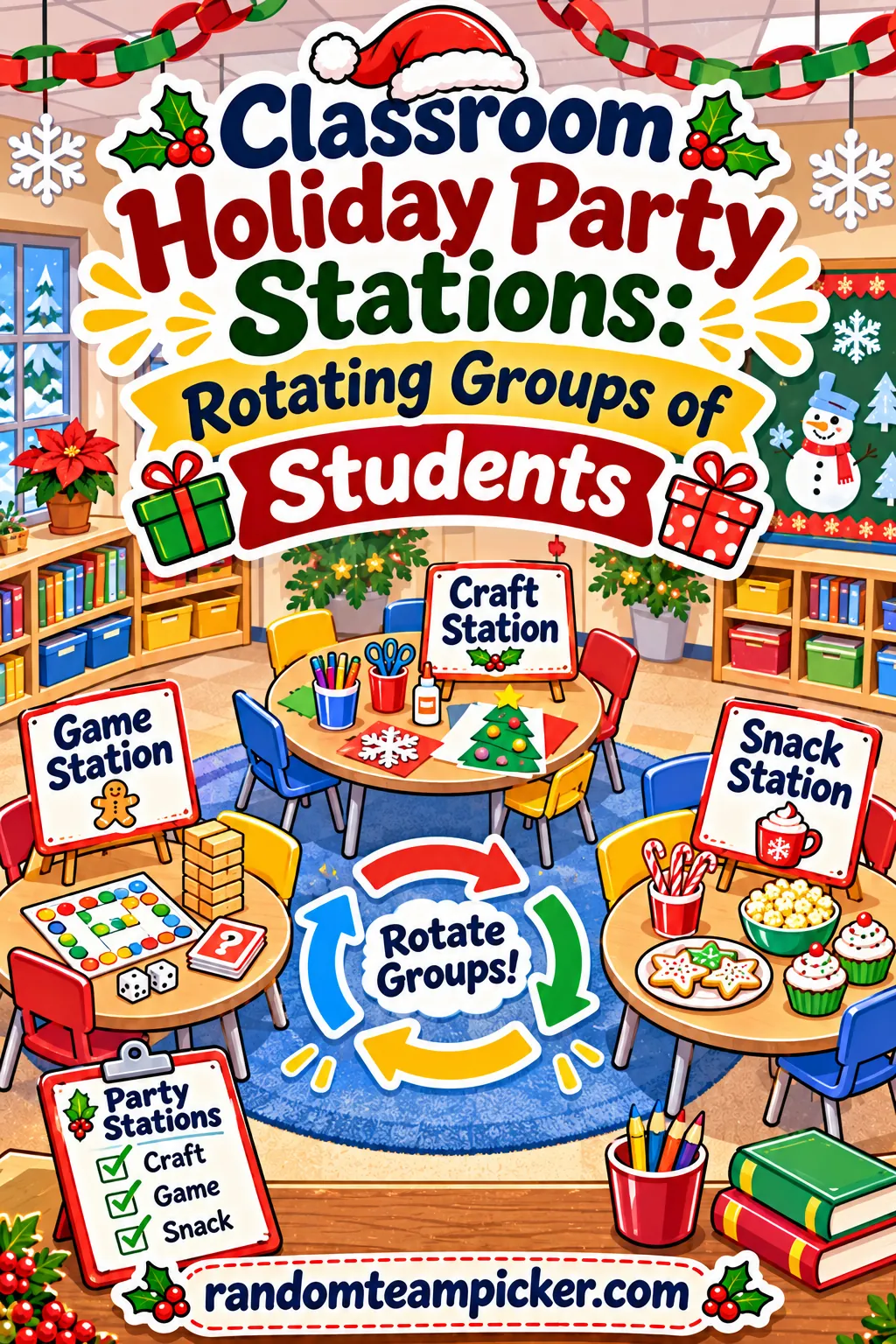
For a calm classroom holiday party, split the class into 4 random groups (for 25 students that's 7, 6, 6 and 6), give each group a different starting station, and rotate everyone clockwise every 12 minutes. Every child visits craft, game, snack and one more station, nobody lines up, and nobody argues about where to go, because the plan decides for them. You can make the groups in about two minutes with the free random team generator: paste your class list, set Number of teams to 4, and print.
Below you'll find group and timing math for every class size, the exact tool settings, a rotation chart you can post on the board, station ideas that run themselves, a minute-by-minute plan for a 60-minute party, and fixes for the snags that come up on the last day before break.
Why Rotating Station Groups Work for Classroom Parties
A holiday party with 25 excited kids and one open room can go sideways fast. Everyone rushes to the cookie table at once. The craft table has a crowd of ten while the game corner sits empty. Two friends who've been arguing all week end up elbow to elbow, and somebody cries because they never got a turn at the "good" station.
Station rotations fix most of that with one simple structure:
- Small groups mean less noise. Four groups of six or seven are much quieter than one group of 25. Kids talk to the few people at their table instead of shouting across the room.
- No lines. Each station only serves one group at a time, so there's always a seat and always enough supplies.
- Everyone gets every station. Nobody misses the craft because they spent too long at the snack table.
- Adults can actually help. One parent volunteer per station can give real attention to six kids, instead of trying to manage the whole room.
- Clear transitions. A signal, a move clockwise, a new station. Kids learn the routine after the first switch.
- Random groups feel fair. When the groups come from a shuffle, nobody thinks the teacher played favorites, and kids get to spend the party with classmates they don't always sit beside.
Station rotation is common in elementary classrooms, and many teachers already use it for literacy or math centers. A party is the same idea with more glitter.
Why four groups is the sweet spot
Four stations and four groups fit most classrooms of 18 to 28 kids. Four is enough variety to fill an hour, and the groups stay small enough (five to seven kids) that every child can sit at the table at once. It also fits a typical room: you can put one station in each corner and rotate clockwise around the room, which is easy for young kids to follow.
Fewer groups means larger crowds at each station. More groups means more stations to staff and more supplies to prep. If your class is very small or very large, the table in the next section shows when to switch to three or five groups.
How Many Groups, Stations and Minutes for Your Class
The basic rule is simple: one group per station, and the same number of stations as groups. Then divide your party time by the number of stations, leaving room for the opening, moves and cleanup.
| Class size | Groups (Number of teams) | Group sizes | Stations | Minutes per station (60-minute party) |
|---|---|---|---|---|
| 15 | 3 | 5, 5, 5 | 3 | 15 |
| 18 | 3 | 6, 6, 6 | 3 | 15 |
| 20 | 4 | 5, 5, 5, 5 | 4 | 12 |
| 22 | 4 | 6, 6, 5, 5 | 4 | 12 |
| 24 | 4 | 6, 6, 6, 6 | 4 | 12 |
| 25 | 4 | 7, 6, 6, 6 | 4 | 12 |
| 26 | 4 | 7, 7, 6, 6 | 4 | 12 |
| 28 | 4 | 7, 7, 7, 7 | 4 | 12 |
| 30 | 5 | 6, 6, 6, 6, 6 | 5 | 9 to 10 |
| 32 | 5 | 7, 7, 6, 6, 6 | 5 | 9 to 10 |
When the class doesn't divide evenly, the tool hands the extra kids to the first groups, one at a time, so no group is ever more than one student bigger than another. With 25 students and 4 groups, Group 1 gets 7 and the other three get 6. For more on uneven splits, see how to split an odd number into teams.
The timing math for a 60-minute party
Here's how a 60-minute party breaks down with four stations:
- Opening and directions: 5 minutes
- Four stations at 12 minutes each: 48 minutes
- Three moves at about 1 minute each: 3 minutes (if moves take 2 minutes, trim each station to 11)
- Wrap-up and cleanup: 4 minutes
That adds up to 60 minutes. If your party runs 90 minutes, use 18 minutes per station, or keep 12-minute stations and add a whole-class activity at the end. If you only get 45 minutes, use three stations of 12 minutes, or four stations of 8 to 9 minutes with very simple activities.
| Party length | Stations | Minutes per station | Time left for opening, moves and cleanup |
|---|---|---|---|
| 40 minutes | 3 | 10 | 10 |
| 45 minutes | 4 | 8 | 13 |
| 60 minutes | 4 | 12 | 12 |
| 75 minutes | 4 | 15 | 15 |
| 90 minutes | 4 | 18 | 18 |
| 90 minutes | 5 | 14 | 20 |
Most kindergarten and first-grade kids are happiest with stations of 10 to 15 minutes. Older kids can stay focused for up to 20 minutes on a good craft or game.
How to Make Station Groups With the Free Tool
Open the random team generator on your classroom computer. It runs in the browser. Here are the exact settings for a class of 25 and four stations.
Step-by-step settings
- Enter names. Type your students one per line, or copy the name column from your class spreadsheet and paste it in. Each name lands on its own line. The counter under the box shows how many names you have, so you can check it says 25.
- Save the list (optional). Type a list name like "Room 12" in the Saved lists box and click Save. The list is stored in your own browser, so next time you can click Load instead of retyping.
- Split mode: Number of teams. This is the default. Set the number to 4 with the plus and minus buttons. A note under it shows "4 teams of 6–7 people each," so you know the split before you generate.
- Team names: Team 1, Team 2. Numbered groups map neatly to starting stations: Team 1 starts at Station 1, Team 2 at Station 2 and so on. If your kids would enjoy it, pick Color names instead and match each color to a station sign.
- Pick a captain (optional). Turn this on and the first name on each team gets a star. That child can carry the group's station card or hold the timer reminder. It's a nice small job for a kid who needs one.
- Constraints (optional). Open Constraints to keep certain kids together or apart. More on this below.
- Click Generate Teams. You'll see four colored group cards with the names inside.
- Adjust if needed. Drag a name from one group to another, or tap a name and then tap its new group. This is handy if one group ended up with three of your most energetic kids.
- Rename the groups. Click a group's name to edit it. Try "Group 1: starts at Crafts" so the printout tells everyone exactly where to go.
- Click Print. The printout shows only the groups, with the controls hidden. Post it on the board and give a copy to each station volunteer.
If you want a backup on your phone, click Copy link to save a link that opens the same groups, or Share to send them from your phone. You can also download a CSV or TXT file to keep in your sub folder or party plans.
Keep-apart and keep-together rules
The Constraints panel is where station groups go from random to random-but-sensible. Each rule goes on its own line, with names separated by commas.
- Keep apart: Two students who've had a rough week. Twins who'd rather be split up. Three best friends who get silly together. Type
Jordan, Rileyon one line and the tool won't put them in the same group. - Keep together: A student who is learning English with a buddy who translates. A child with a one-on-one aide who travels with a classmate. A new student who knows only one person. Type
Mia, Sofiato keep them in the same group.
Use rules sparingly. Every rule makes the shuffle a little less random, and a long list of rules starts to feel like hand-picked groups again. Three to five rules is usually plenty for a class of 25.
Balancing groups by energy or helpfulness
The tool has a Balance by skill option that uses a number from 1 to 5 after a name, like Ava, 5. At a party, you can use that number for anything you want to spread evenly. Some teachers rate "independence," so each group gets a couple of kids who can follow directions without help. Others rate how much support a child needs at the craft table.
Type the number after a comma, turn on Balance by skill, and generate. The tool spreads the high and low numbers across groups so each group's total is as even as possible. Names without a number count as average. The results show names only, with a points total beside each group's size, so no child's own number appears next to their name. Still, keep the names box off the projector while you type the numbers.
For more ideas on making classroom groups fair, see how to divide a class into groups.
Setting Up the Rotation: Who Starts Where
The whole trick of a smooth rotation is that every group starts at a different station and moves the same direction at the same time. Number your stations 1 to 4 going clockwise around the room. Group 1 starts at Station 1, Group 2 at Station 2, and so on. At each signal, every group moves to the next number. Group 4 moves from Station 4 to Station 1.
Here's the full chart for four groups. Copy it onto chart paper or the board.
| Round | Station 1: Craft | Station 2: Game | Station 3: Snack | Station 4: Story corner |
|---|---|---|---|---|
| 1 | Group 1 | Group 2 | Group 3 | Group 4 |
| 2 | Group 4 | Group 1 | Group 2 | Group 3 |
| 3 | Group 3 | Group 4 | Group 1 | Group 2 |
| 4 | Group 2 | Group 3 | Group 4 | Group 1 |
Read down any column and you'll see every group visits every station exactly once. Read across any row and you'll see every station has exactly one group. That's what keeps lines from forming.
Where to put the snack station
Think about which station you want kids to hit at which point. A few things to consider:
- Snack in the middle of the order. Station 3 is a nice spot for the snack table. Group 3 eats first, but most groups eat halfway through the party, when energy starts to dip.
- Craft away from the snack. Glue, glitter and frosting don't mix. Put the craft table and the snack table on opposite sides of the room.
- Game near open floor. If your game involves any movement, put it where there's the most space.
- Quiet station near the door or reading nook. A story corner or quiet activity is a nice reset between busier stations.
If your school has rules about food in classrooms or allergy-safe snacks, check them before you plan the snack station. Some teachers swap the snack station for a food-free one, like a decorate-a-paper-cookie craft, then serve one whole-class snack at the end.
The rotation signal
Pick one clear signal and practice it before the first station starts. Good options:
- A chime, bell or a few notes on a xylophone
- Lights off and on once
- A countdown on the board: "2 minutes left" at 10 minutes, then "Freeze, clean up, point to your next station" at 12 minutes
Then teach the three-step move:
- Freeze and clean. Put supplies back the way you found them.
- Point. Every child points clockwise to the next station. This takes five seconds and saves a lot of wrong turns.
- Walk together. The group walks as a group, captain first if you picked captains.
Practice the move once before the party starts, with no supplies out. It takes a minute and makes every real move faster.
Station signs that help kids find their way
Make a big sign for each station with:
- The station number in large print (1, 2, 3, 4)
- The station name and a simple picture (scissors for craft, a die for game, a cup for snack, a book for story)
- An arrow pointing to the next station clockwise
- A short list of steps for the activity, for the volunteer
Tape each group's printed name list next to the station where that group starts. When kids walk in, they find their name, see their starting station and sit down. No questions, no crowding.
Station Ideas That Run Themselves
The best party stations are simple enough that a parent volunteer can run them with a one-paragraph instruction card. Here are four reliable station types, with ideas you can mix and match.
Station 1: Craft
A good craft station finishes in 10 to 12 minutes and doesn't need drying time.
- Paper ornaments. Precut paper circles or stars, crayons, stickers and a hole-punched top with yarn. Kids decorate and take them home.
- Paper chain. Each child makes a few links in holiday colors. Join every group's links together at the end into one long class chain.
- Card for someone special. Folded cardstock, stickers and markers. Kids write a note to a family member, a school worker or a neighbor.
- Snowflakes. Folded paper and safety scissors. Works best from second grade up; younger kids need precut folds.
Prep tip: put each child's supplies in a paper cup or zip bag before the party. Six or seven ready-to-go kits per group means the volunteer just hands them out.
Station 2: Game
A game station needs a game that lasts long enough to fill the time but restarts easily.
- Holiday bingo at the table, with small paper cards and paper markers
- Pass the parcel with a wrapped bundle of layers and a tiny sticker in each
- Minute games like stacking paper cups into a tree, moving cotton balls with a spoon, or a guessing jar
- Holiday charades with simple picture cards for younger kids
For more ways to use random groups during the school day, see the team generator for classrooms guide.
Station 3: Snack
Keep the snack station simple and safe.
- Decorate-your-own cookies or crackers with frosting and sprinkles, if your school allows it and you've checked for allergies
- Build a snack mix by picking from a few bowls into a small cup
- Fruit kebabs with soft fruit and blunt sticks for older kids
Have wipes, napkins and a trash bag at the table. Ask the volunteer to run a quick wipe-down before the next group sits, so each group gets a clean table.
Station 4: Story, quiet or bonus station
The fourth station gives kids a breather.
- Story corner with a volunteer reading a winter or holiday picture book
- Coloring with holiday coloring pages
- Thank-you notes for the school staff
- Photo spot with a simple backdrop and props, if your school's photo rules allow it
A quieter station in the rotation keeps the energy from building up all hour. Many teachers put it right after the game station.
Station volunteer card
Give each volunteer a half-sheet card like this one:
Station 2: Game. Your groups arrive every 12 minutes. When the chime sounds, help the group tidy up and point to Station 3. Game: stack paper cups into a tree, one cup at a time, while classmates count. Reset the cups for the next group. If a child is upset, let them be the counter. The teacher is at Station 4 if you need anything.
A card like this answers most questions before they're asked, so the teacher can float between stations instead of explaining the same thing four times.
How many volunteers you need
| Stations | Ideal adults | Minimum adults | Notes |
|---|---|---|---|
| 3 | 3 | 2 plus teacher | Teacher takes the station that needs the least help |
| 4 | 4 | 3 plus teacher | Teacher floats or takes the quiet station |
| 5 | 5 | 4 plus teacher | Make one station fully independent, like coloring |
If you're short on volunteers, make one station self-running, like coloring or a sticker scene, and place it near your desk so you can watch it while you help at another.
A Minute-by-Minute Plan for a 60-Minute Party
Here's a full plan for 25 students, four groups and four stations. Adjust the clock times to match your schedule.
| Time | What happens | Who does what |
|---|---|---|
| 0:00 to 0:05 | Kids find their names on the board and sit at their starting station | Teacher explains the signal and the clockwise move |
| 0:05 to 0:17 | Round 1 | Volunteers run stations; teacher floats |
| 0:17 to 0:18 | Signal, tidy, point, move | Captains lead their groups |
| 0:18 to 0:30 | Round 2 | Teacher checks the snack table is wiped |
| 0:30 to 0:31 | Signal and move | Remind kids to leave crafts at the drying spot |
| 0:31 to 0:43 | Round 3 | Teacher warns volunteers about the last round |
| 0:43 to 0:44 | Signal and move | Groups head to their final station |
| 0:44 to 0:56 | Round 4 | Volunteers start packing up their station's extras |
| 0:56 to 1:00 | Whole-class wrap-up | Kids collect crafts, say thank you to volunteers |
The week-before checklist
- Choose your four stations and write a volunteer card for each.
- Confirm volunteers and tell them which station they'll run.
- Make the groups with the free team generator, add any keep-apart rules, and print the list.
- Make station signs with numbers, pictures and clockwise arrows.
- Prep craft kits and game supplies in bags or cups, one per child.
- Check your school's rules on food, allergies and photos.
- Plan your signal and practice the move with the class once.
On party day, you just set out the supplies, tape up the signs and the group lists, and let the routine do the work.
Variations by Grade and Class Size
Station rotations work from kindergarten through fifth grade. Small changes make them fit each age.
Kindergarten and first grade
- Keep stations to 10 or 12 minutes, and keep the craft very simple.
- Use Color names for groups and color-coded station signs, so kids who can't read yet can find their way. A red group follows red arrows to the next station.
- Have an adult walk each group for the first move.
- Use four groups even for a class of 18 to 20, so each group stays at four or five kids.
Second and third grade
- Stations of 12 to 15 minutes work well.
- Turn on Pick a captain and give captains a small job: carry the group's sign, remind everyone to tidy, lead the walk.
- Add a little challenge at the game station, like a team score to beat from the group before.
Fourth and fifth grade
- Stations of 15 to 20 minutes work if the activities have some depth.
- Let groups choose a fun group name at the first station. You can type the names into the group headings on screen before you print, or have kids write them on their sign.
- Older kids can run a station themselves with one adult nearby.
Small classes (12 to 17 students)
Use three groups and three stations. With 15 students, that's three groups of 5, and 15-minute stations fill a 60-minute party with room to spare. You can also run two stations at once with two groups each, if you only have one volunteer.
Large classes or combined classes (30 or more)
Use five groups and five stations. For 30 students, that's five groups of 6. Five stations at about 9 to 10 minutes each fit a 60-minute party. If two classes combine for one party, paste both class lists into the tool, set the number of teams to the number of stations, and add keep-apart rules only if you really need them. Mixing two classes is a nice chance for kids to meet new friends.
| Situation | Number of teams | Stations | Minutes each (60 min) |
|---|---|---|---|
| 12 students | 3 | 3 | 15 |
| 16 students | 4 | 4 | 12 |
| 25 students | 4 | 4 | 12 |
| 30 students | 5 | 5 | 9 to 10 |
| Two classes of 22 (44 total) | 6 | 6 | 8, or run a 90-minute party at 12 each |
Using the same groups again
If you'll do stations again after break, for a winter party, a field day or a project, turn on Avoid repeat pairings before you generate. The tool remembers who's already been grouped together on this device and tries to keep those kids apart on the next shuffle. Use Reset history when you want to start fresh. For more on that, see how to randomize without repeats.
Troubleshooting Common Problems
| Problem | Likely cause | Fix |
|---|---|---|
| A group finishes the craft in 5 minutes | Activity too short | Keep a backup: coloring sheets or a sticker scene at every station |
| Groups crowd one station during moves | Some groups moved early | Use one signal for everyone; nobody moves until it sounds |
| Kids go the wrong way | Direction not clear | Clockwise arrows on every sign; practice "point" before moving |
| One group is much louder | Too many high-energy kids together | Drag one name to another group before printing, or use Balance by skill |
| Two kids who clash end up together | No keep-apart rule | Add a keep-apart line in Constraints and generate again |
| A student is absent on party day | Groups made in advance | Leave the group one short, or drag one name over to even it out |
| A new student arrives | Not on the list | Add the name to the shortest group by hand on the printout |
| Snack table is messy for the next group | No wipe-down time | Build 1 minute into each move for the snack volunteer |
| A volunteer cancels | Last-minute change | Make that station self-running, like coloring, and keep it near you |
| The party starts late | Assembly or schedule change | Cut each station to 8 to 10 minutes, or drop one station and use three groups |
Make Your Party Groups Now
A good classroom holiday party doesn't need to be loud or chaotic. Four random groups, four stations, one signal and a clockwise rotation give every child a turn at everything, with no lines and no arguments about where to go. Open the random team generator, paste your class list, set Number of teams to match your stations, and print the groups for the board.
For more grouping ideas you can use all year, see classroom grouping strategies.
Frequently Asked Questions
How many stations should a classroom holiday party have?
Most classes of 18 to 28 students do best with four stations and four groups. Use three for a small class of 12 to 17, and five for a class of 30 or more. Keep the number of groups the same as the number of stations so there's always exactly one group per station.
How long should each party station last?
For a 60-minute party with four stations, plan about 12 minutes per station. That leaves around 12 minutes for the opening, moves and cleanup. Kindergarten and first grade do well with 10 to 12 minutes; older kids can handle 15 to 20.
How do I split a class of 25 into 4 groups?
Paste the 25 names into the random team generator, choose Number of teams, and set it to 4. The tool makes groups of 7, 6, 6 and 6, giving the extra student to the first group. Print the groups and post them by the starting stations.
How do I keep certain students apart in party groups?
Open the Constraints panel in the tool and type the names on one line under Keep apart, separated by commas. Generate the groups and the tool won't put those students together. Keep the list short so the groups still feel random.
Which direction should the groups rotate?
Clockwise is the easiest for most kids. Number the stations 1 to 4 around the room in a clockwise direction, and move every group to the next number at each signal. Group 4 moves from Station 4 back to Station 1.
What if a student is absent on party day?
You don't have to remake the groups. One group will be a student short, which is fine. If you want them even, drag a name from the largest group to the smallest on screen before you print, or move one child by hand on the day.
Can I use the same groups for more than one activity?
Yes. Save your class list in the tool so you don't have to retype it. If you want different groups next time, turn on Avoid repeat pairings before generating, and the tool will try to mix up who works together.
How many parent volunteers do I need for party stations?
Ideally one adult per station, so four for a four-station party. You can manage with three volunteers plus you if one station runs itself, like coloring or a quiet story corner. Give each volunteer a short instruction card so they know the activity and the signal.