How to Split a Big Office Into Gift Exchange Circles
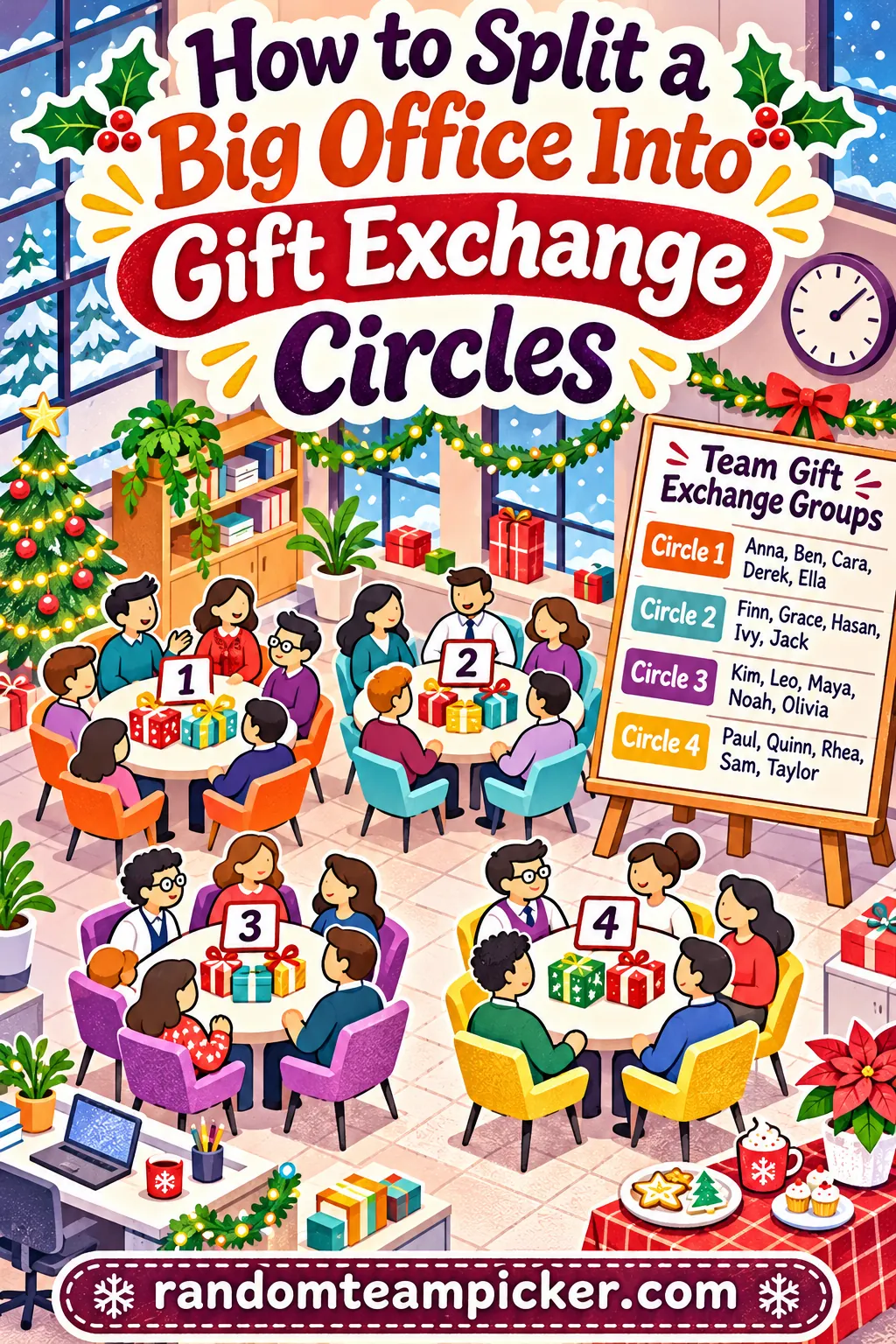
The fix for white elephant for large office groups is to stop running one giant circle: split everyone into parallel circles of 10 to 15 people, run them at the same time with a short turn timer, and finish with an optional "champions round" between circles. Forty people in one circle can easily take two hours. Three circles of 13 or 14 can wrap up in about the time of a long lunch.
The fastest fair way to make those circles is the free random team generator. Paste the whole staff list, set the number of circles, and it deals everyone out evenly in one click. Then you shuffle each circle again to get turn numbers. This guide walks through the math, the exact settings, a day-of timeline, and the small problems that come up when you mix departments, remote staff and late arrivals.
Why One Big White Elephant Circle Falls Apart Past 20 People
White elephant is a lovely game at 10 people. At 40 it turns into a waiting room. Here's why it slows down so much as the group grows.
Every player gets one turn, so the number of turns grows with headcount. That part is obvious. The less obvious part is that each turn gets longer as the game goes on. Early players only have one or two opened gifts to steal. Late players have dozens of choices, so they stand there thinking, the room offers advice, and one steal triggers another. In a big circle the last ten turns can take as long as the first thirty.
Attention is the other problem. In a circle of 12, everyone can see every gift and every person can hear the jokes. In a circle of 45, the back row can't see what was just opened, people start side conversations, and the energy that makes the game fun drains away. People who drew a high number wait most of an hour before they even touch a gift.
There's also a practical work problem. Most office parties have a hard stop: a room booking, a shift change, or the end of the day. If the game runs long, the last people to go get rushed, and they're the ones who waited longest.
Splitting into circles fixes all three issues at once:
- Fewer turns per circle. Each group only has 10 to 15 turns to get through.
- Shorter decisions. Fewer opened gifts means fewer steal options, so late turns stay quick.
- Better watching. Everyone in a circle can see and hear each unwrap.
- Parallel time. Three circles running side by side finish in roughly the time it takes one circle of 13 or 14.
How Many People Per Gift Swap Works Best
Most hosts land on 10 to 15 people per circle, and there's good reason for that range. Below about 8 people, the steal rules barely matter because there aren't many gifts to fight over. Above about 15, you start to see the same slowdowns as one big group.
Here's a simple way to estimate how long a circle will take. These are planning budgets, not promises. Every office is different, and a chatty group runs longer than a quiet one.
- Picking and unwrapping: budget about 1 minute per turn.
- Steals and reactions: budget another 1 to 2 minutes per turn, more in the second half.
- Setup, rules and wrap-up: budget 10 minutes per circle.
That works out to roughly 2 to 3 minutes per person plus 10 minutes. A 30-second turn timer (more on that below) pulls you toward the low end.
| People in the circle | Rough game time (with 30-second timer) | Rough game time (no timer) | How it usually feels |
|---|---|---|---|
| 8 | 25 to 35 minutes | 30 to 40 minutes | Quick, light on steals |
| 10 | 30 to 40 minutes | 40 to 50 minutes | Lively, everyone stays engaged |
| 12 | 35 to 45 minutes | 45 to 60 minutes | The sweet spot for most offices |
| 15 | 40 to 55 minutes | 55 to 75 minutes | Full and fun, needs a firm host |
| 20 | 50 to 70 minutes | 70 to 90+ minutes | Starts to drag in the back half |
| 40 | 90+ minutes | 2+ hours | Too long for a work event |
If your party slot is an hour, aim for circles of 10 to 12. If you have 90 minutes and want a champions round at the end, circles of 12 to 14 still fit.
Want a deeper look at group sizing in general? Our guide on how many people per team is best covers the same tradeoff between too small and too crowded.
How Many Circles to Make for Your Headcount
Once you know the size you want, divide your headcount by it and round up. That gives you the number of circles. The team generator does the rest by spreading people as evenly as the numbers allow, so no circle is ever more than one person bigger than another.
Here are the splits for common office sizes. "Circles" is what you type into the tool when you choose Number of teams.
| Headcount | Circles | Circle sizes | Notes |
|---|---|---|---|
| 25 | 2 | 13, 12 | Two rooms or two ends of one room |
| 30 | 2 or 3 | 15, 15 or 10, 10, 10 | Pick 3 if you only have an hour |
| 36 | 3 | 12, 12, 12 | Clean split, no leftovers |
| 40 | 3 | 14, 13, 13 | One circle gets the +1 |
| 45 | 3 or 4 | 15, 15, 15 or 12, 11, 11, 11 | Four circles is faster |
| 50 | 4 | 13, 13, 12, 12 | Two circles get one extra |
| 60 | 4 or 5 | 15 x 4 or 12 x 5 | Five circles if space allows |
| 75 | 6 | 13, 13, 13, 12, 12, 12 | Plan a host per circle |
| 100 | 8 | 13 x 4, 12 x 4 | Use People per team set to 13 |
There are two ways to tell the tool what you want, and they get you to the same place:
- Number of teams when you know how many rooms or tables you have. Forty people across 3 tables gives 14, 13 and 13.
- People per team when you care about circle size more than room count. Set it to 13 for a group of 100 and the tool works out that it needs 8 circles. It rounds up, so nobody is dropped, and it balances the leftovers. For example, people per team set to 15 with 40 people gives 3 circles of 14, 13 and 13, not two full circles and a lonely group of 10.
If your number doesn't divide neatly, that's normal. Our guide on how to split an odd number into teams explains how the extra people get handed out one at a time.
How to Do It With the Free Tool (Exact Settings)
Here's the full walkthrough on the free random team generator, from staff list to printed circle cards. Plan on about five minutes the first time.
Step 1: Get a clean list of names
Pull the list of people who signed up, not the whole company directory. If you collected sign-ups in a spreadsheet, copy the name column. Each cell lands on its own line when you paste it into the names box, so you don't need to retype anything.
A few cleanup tips before you paste:
- Use the names people go by. "Kate R." reads better on a circle card than a full legal name.
- Make duplicates unique. If you have two people named Chris, add a last initial: "Chris M." and "Chris T." The tool treats each line as one person, and clear names keep the printed cards readable.
- Leave out anyone who isn't bringing a gift. Only people with a gift should be in a circle, or the gift count won't match the turn count.
The counter under the box shows how many names it found. Check it against your sign-up total before you go further.
Step 2: Choose your split
Under Split mode, pick one:
- Number of teams, then type your circle count in the box (or use the minus and plus buttons). For 40 people, type 3.
- People per team, then type the circle size. For 100 people, type 13.
Step 3: Name the circles
The Team names menu has several styles. For a holiday swap, two work well:
- Team A, Team B… is plain and easy to call out: "Circle A meets by the windows."
- Color names gives you Reds, Greens, Golds and Silvers, which match holiday decorations. You can tie a ribbon of that color on each circle's gift table.
After you generate, you can click any circle's name on its card and type over it. "Break Room Circle" or "Fireplace Circle" tells people exactly where to go. For more holiday naming ideas, try the holiday team name generator.
Step 4: Add rules if you need them
Open the Constraints section. There are two boxes:
- Keep apart. One rule per line, names separated by commas. Every name on one line ends up in a different circle when there are enough circles to allow it. This is how you spread out managers, the people running each circle, or two coworkers who should not be stuck together.
- Keep together. Use this sparingly. It's handy for a new hire and their buddy, or for someone who needs a coworker to help with mobility or translation.
Example for a 40-person office with 3 circles:
Keep apart:
Dana, Luis, Priya
Mark, Tasha
The first line puts the three hosts in three different circles. The second line keeps two managers apart. If you ask for more separation than your circle count allows (for example, five names on one keep-apart line with only three circles), the tool shows a warning and gives you the closest split it can. That's your cue to shorten the rule or add a circle.
Step 5: Pick your extras
- Pick a captain marks the first name in each circle with a star. Use it to choose who reads the rules out loud or keeps the timer.
- Reveal animation adds a bit of drama if you're showing the circles on a big screen. Turn it off if you plan to re-shuffle a few times.
- Leave Balance by skill off unless you want to spread people by a number (see the department tip later in this guide).
Step 6: Generate and share
Click Generate Teams. You'll see one colored card per circle with a head count, and a "+1" tag on any circle that got an extra person.
If you don't like the result, click Re-shuffle. If one person needs to move (say, someone has to leave early and should be in the circle by the door), drag their name to another card, or tap the name and then tap the new card on a phone.
When it looks right, use the buttons above the cards:
- Copy puts the circle list on your clipboard as text, ready to paste into a team chat or email.
- Copy link gives you a link that opens the same circles, which is handy if another organizer needs to see them.
- Print gives you a clean printout to tape near each gift table.
- CSV or TXT downloads a file you can keep with your party notes.
If you plan to run the swap again next year, type a name like "Holiday swap list" in the Saved lists box at the top and click Save. It's stored in your own browser, so you can load it next December on the same computer.
Setting Turn Order Inside Each Circle
Splitting people into circles is only half the job. Each circle still needs a turn order, and it should be just as random as the circles were. Pulling numbers out of a bowl works, but in a big office it means making four or five bowls of slips and hoping nobody grabs two.
Here's the quicker way with the same tool:
- Copy one circle's names from your results (or from the printout).
- Click Clear, then paste just that circle's names into the names box.
- Set Split mode to Number of teams and type 1.
- Click Generate Teams.
With only one team, the tool still shuffles the list before dealing it, so the names show up in a random order. The first name is turn 1, the second is turn 2, and so on. Turn on Pick a captain and the first name gets a star, which makes it easy to announce who opens first.
Repeat for each circle. It takes under a minute per circle. Print each list or copy it into your notes, and number the names by hand if you like.
A few turn-order rules that keep things fair:
- Draw turn order after the circles are set, not before. If people know they're turn 1 before they know their circle, someone will ask to switch.
- Give turn 1 a second chance. The first player has nothing to steal, which is a real disadvantage. A common fix is to let turn 1 take one final swap after the last player goes. Decide this before you start and say it out loud.
- Don't let anyone trade turn numbers. Once the list is printed, it's the list.
For more ways to settle "who goes first" without arguments, read our guide on how to pick captains fairly.
House Rules That Keep Parallel Circles Moving
When three or four circles run at once, they need the same rules, or people will compare notes and feel cheated. Write the rules on one card and give a copy to each circle host.
Here's a rule set that works well for circles of 10 to 15:
- 30-second turn timer. Once a player has the floor, they get 30 seconds to choose a wrapped gift or pick one to steal. The host counts down out loud for the last 5 seconds. Unwrapping doesn't count against the clock.
- Three-steal limit per gift. A gift is "frozen" after it has been stolen three times. The third person to take it keeps it. Some groups use two; three is a good middle ground for circles this size.
- No immediate steal-back. If your gift is stolen, you can't take that same gift back on the same turn. You either steal something else or open a new gift.
- Steal chains end with a new gift. If a player whose gift was stolen steals from someone else, the chain keeps going until someone opens a wrapped gift. The host keeps it moving with the timer.
- Gifts stay visible. Opened gifts sit in front of their current owner where the whole circle can see them, not in a lap or a bag.
- Same spending guideline for everyone. Pick one limit for the whole office before sign-ups go out, so a gift in Circle A is about the same value as one in Circle C.
Keep gift wrap simple, too. Ask people to skip heavy taping and boxes inside boxes. It's funny once, but in a 30-second-timer game it holds up everyone else.
What each circle host does
Every circle needs one person in charge. That's who the Keep apart rule for hosts in Step 4 was for. A circle host:
- Reads the rules card out loud before the first turn.
- Calls turn numbers from the shuffled list.
- Runs the timer on a phone.
- Tracks steal counts with tally marks on a sticky note stuck to each opened gift.
- Settles disputes with the rules card, not with opinions.
- Reports the circle's "top gift" to the main organizer if you're running a champions round.
Hosts can still play. They just take their turn like everyone else and hand the timer to a neighbor for that turn.
Here's a short script hosts can read word for word to open their circle:
"Welcome to Circle B. When I call your number, you have 30 seconds to pick a wrapped gift or steal one that's already open. Unwrapping is off the clock. A gift is frozen after three steals. If your gift gets stolen, you can't take it right back. Turn 1 gets one last swap at the very end. Ready? Turn 1, you're up."
A Day-of Timeline for a 90-Minute Office Party
Here's a sample schedule for 45 people in 4 circles. Shift the times to match your party slot.
| Time | What happens | Who handles it |
|---|---|---|
| 1 week before | Close sign-ups, generate circles, pick hosts | Main organizer |
| 3 days before | Send circle list and rules card to everyone | Main organizer |
| Day of, 30 minutes early | Set up 4 gift tables, tape up circle signs and printouts | Organizer and hosts |
| 0:00 | People arrive and drop gifts on their circle's table | Everyone |
| 0:10 | Short welcome and rules reminder; circles move to their spots | Main organizer |
| 0:15 | Hosts read their circle's turn order and start | Circle hosts |
| 0:15 to 1:00 | Circles play with a 30-second timer | Circle hosts |
| 1:00 | Turn-1 final swap in each circle | Circle hosts |
| 1:05 | Champions round (optional) | Main organizer |
| 1:20 | Photos, cleanup, wrapping paper into bins | Everyone |
| 1:30 | Party ends |
The circles get about 45 minutes of play. With 11 or 12 people each and a firm timer, that's enough room. If your circles are closer to 15, start them 5 minutes earlier or skip the champions round.
Should you send circle assignments ahead of time?
You can do it either way:
- Send ahead if your office is spread across floors, or if many people join remotely. People know where to go, and gifts land on the right table.
- Reveal on the day if you want a bit of fun. Put the circles on a big screen with the reveal animation on and let people cheer when they see their name.
If you reveal on the day, generate the circles beforehand anyway and save a copy with Copy link or CSV. That way, if the screen fails, you still have the list. Shuffle turn orders ahead of time as well, so hosts can start the second their circle sits down.
Mixing Departments, Remote Staff and Other Real-Office Problems
A random shuffle is the fairest place to start, but real offices have a few extra wrinkles. Here's how to handle the common ones with the tool's settings.
Spreading departments across circles
One of the best parts of a big office swap is meeting people from other teams. A plain shuffle usually mixes departments on its own, but it can still put four people from the same small team in one circle.
If that matters to you, there are two options:
- Keep apart for small groups. If a department has no more people than you have circles, put them all on one keep-apart line. Three people from Payroll and 3 circles?
Ana, Ben, Caraon one line puts each of them in a different circle. - Re-shuffle and check. For bigger departments, a keep-apart line can't work, because you can't put eight people in three different circles. Just generate, scan the cards, and click Re-shuffle if one circle is lopsided. Two or three shuffles usually give you a good mix.
There's also a trick with Balance by skill if you want to spread one big department evenly. Type , 5 after the name of everyone in that department (for example, Jordan, 5) and leave everyone else without a number, which counts as 3. Turn on Balance by skill and the tool evens out each circle's total, which pulls the 5s apart across circles. The cards will show points, which you can ignore.
For more ideas on mixing groups at work, our team generator for office team building page covers department mixing for other activities too.
Remote and hybrid coworkers
Remote staff can't easily join a steal game in a room, but they can join their own circle. Put all remote players in one list, run them through the tool as their own circle (or two), and let a remote host run that circle on a video call. Gifts can be mailed ahead, and people open them on camera when their turn comes. If you mail gifts, tell everyone to check their carrier's official holiday shipping dates and send early.
If you have only two or three remote people, a simpler fix is to pair each one with an in-office "gift buddy" who picks and steals for them while they watch on a call. Use Keep together to keep each remote person in the same circle as their buddy.
Late sign-ups and no-shows
It happens every year. Someone signs up the morning of the party, and someone else is out sick.
- Late sign-up: add them to a circle without the "+1" tag. Those are the circles with room. Drag their name onto that card, or just tell the host and add them to the end of the turn list.
- No-show who dropped off a gift: leave the gift in play as a wrapped option. Whoever ends up with it can hand it back to the owner's desk later, or the circle can agree to leave it unopened and give it to the absent person.
- No-show without a gift: remove them from their circle's turn list. The circle just has one fewer turn, and the gift count still matches.
People who'd rather not play
Some coworkers don't want to take part in a gift game, and that's completely fine. Keep sign-ups clearly optional, and only put people who opted in into the tool. Nobody should find their name on a circle list they never agreed to. Offer a role instead, like timekeeper for a circle or judge for the champions round, for people who want to join in without swapping.
Finishing Strong: Champions Round and Quick Fixes
Parallel circles solve the time problem, but some offices miss the "whole company in one room" moment. A short champions round brings everyone back together at the end without dragging things out.
How a champions round works
- When the circles finish, each circle votes on its most wanted gift. A show of hands is fine.
- The person holding that gift brings it to the front. These are your champions, one per circle.
- Put the champions' names into the tool, set Number of teams to 1, and generate. The shuffled order is the champions' turn order.
- Each champion, in order, may keep their gift or swap with another champion's gift. One swap per turn, no chains.
- When the last champion goes, the round is over.
With four circles, that's four turns. It takes five minutes and gives the whole room something to cheer for. If you want a bit more drama, let each circle's host do a 15-second "pitch" for their gift before the swaps start.
A gentler version for offices that don't want more stealing: each circle shows off its top gift, and the whole room votes on a "gift of the year." No swaps, just bragging rights.
Troubleshooting table
| Problem | Likely cause | Fix |
|---|---|---|
| One circle finished 20 minutes before the others | Smaller circle, or quieter group | Start the champions round prep with that circle, or let them help hosts track steals |
| A circle is running way over | Steal chains with no timer | Host restarts the 30-second timer and enforces the three-steal freeze |
| Two circles have different numbers of gifts | Someone forgot a gift or brought two | Move one spare gift from a circle with extra, or the host plays one wrapped "house gift" |
| Name counter shows more people than signed up | Duplicate lines or blank spaces with stray text | Scroll through the names box and delete repeats |
| Keep-apart warning appears | More names on one line than you have circles | Shorten the line, split it into two rules, or add a circle |
| A circle has four people from the same team | Plain random luck | Click Re-shuffle, or use a keep-apart line for small teams |
| Someone wants to switch circles to be with a friend | Social pressure | Point to the printed list; the shuffle was fair for everyone |
| The big screen fails on the day | Tech hiccup | Use the printouts or the saved CSV |
Variations by office size
- 20 to 30 people. Two circles of 10 to 15 in the same room, at opposite ends. One organizer can float between them. Skip hosts' training and just hand out the rules card.
- 30 to 60 people. Three or four circles with a named host each. This is where the timeline above fits best.
- 60 to 120 people. Five to eight circles, ideally in two or three rooms. Choose one lead organizer per room, and run circle reveals ahead of time so people walk straight to their table. A champions round still works, but cap it at the top gift from each room, not from each circle, to keep it short.
- Multiple locations. Run circles separately at each site with the same rules card and the same start time. If sites join a shared video call, each site can send one champion to a combined final round.
If you plan other group games at the party, our team generator for large groups page has more tips for splitting big crowds fast.
Your next step
Grab your sign-up list, open the free team generator, paste the names, pick your circle count, and click Generate. Add a keep-apart line for your circle hosts, print one card per circle, then run each circle through once more with Number of teams set to 1 for turn order. Ten minutes of prep gives you a white elephant that fits your party slot, keeps everyone engaged, and still ends with a big cheer.
Frequently Asked Questions
How many people is too many for one white elephant circle?
Most groups start to drag somewhere past 15 to 20 players. Late turns get longer because there are more opened gifts to steal, and people in the back stop following along. Splitting into circles of 10 to 15 keeps every turn quick and visible.
How do I split 40 coworkers into gift exchange groups?
Paste all 40 names into the random team generator, choose Number of teams, and type 3. You'll get circles of 14, 13 and 13. If you'd rather have smaller, faster circles, type 4 for circles of 10.
How long does a white elephant game take with 40 people?
In one circle with no timer, 40 people can easily run two hours or more. Split into three or four circles with a 30-second turn timer, most groups finish in about 40 to 50 minutes, since the circles play at the same time.
How do we decide turn order inside each circle?
After the circles are set, paste one circle's names back into the tool, set Number of teams to 1, and generate. The names come out in shuffled order, and that order is your turn list. Turn on Pick a captain to put a star next to turn 1.
Can I keep certain people in different circles?
Yes. In the Constraints section, type their names on one line in the Keep apart box, separated by commas. Each name on that line goes to a different circle, as long as you have at least as many circles as names on the line. If you don't, the tool warns you and shows the closest split.
What's a fair steal limit for circles of 10 to 15?
A three-steal limit per gift works well for this size. After a gift's third steal, it's frozen and stays with that person. Groups that want a faster game can use two steals instead.
How do remote employees join a big office gift swap?
Give remote coworkers their own circle that meets on a video call, with gifts mailed ahead and opened on camera. If there are only a few remote people, pair each with an in-office buddy who picks and steals for them. Use Keep together to keep each pair in the same circle.
Should circle assignments be secret until the party?
It's up to you. Sending them ahead helps people find their table and drop off gifts in the right spot, especially in big or multi-floor offices. Revealing them on the day with the reveal animation on a big screen adds fun, but save a copy first in case the screen fails.